Arduino Nano Every
⚡ The essentials in 60 seconds
- mcu — Microchip (ex-Atmel) ATmega4809, 8-bit AVR (AVRex series) @ 20 MHz — "featuring the ATMega4809, a more powerful processor as well as 48KB of CPU Flash memory and a higher clock speed of 20 MHz" (docs page). ATmega4809 product page
- memory — 48 KB flash, 6 KB SRAM ("50% more program memory… RAM is 200% bigger" than the Uno's 32 KB/2 KB — store page). EEPROM:
- gpu_storage_radio — none. USB serial is provided by an onboard module (see Problems/Features).
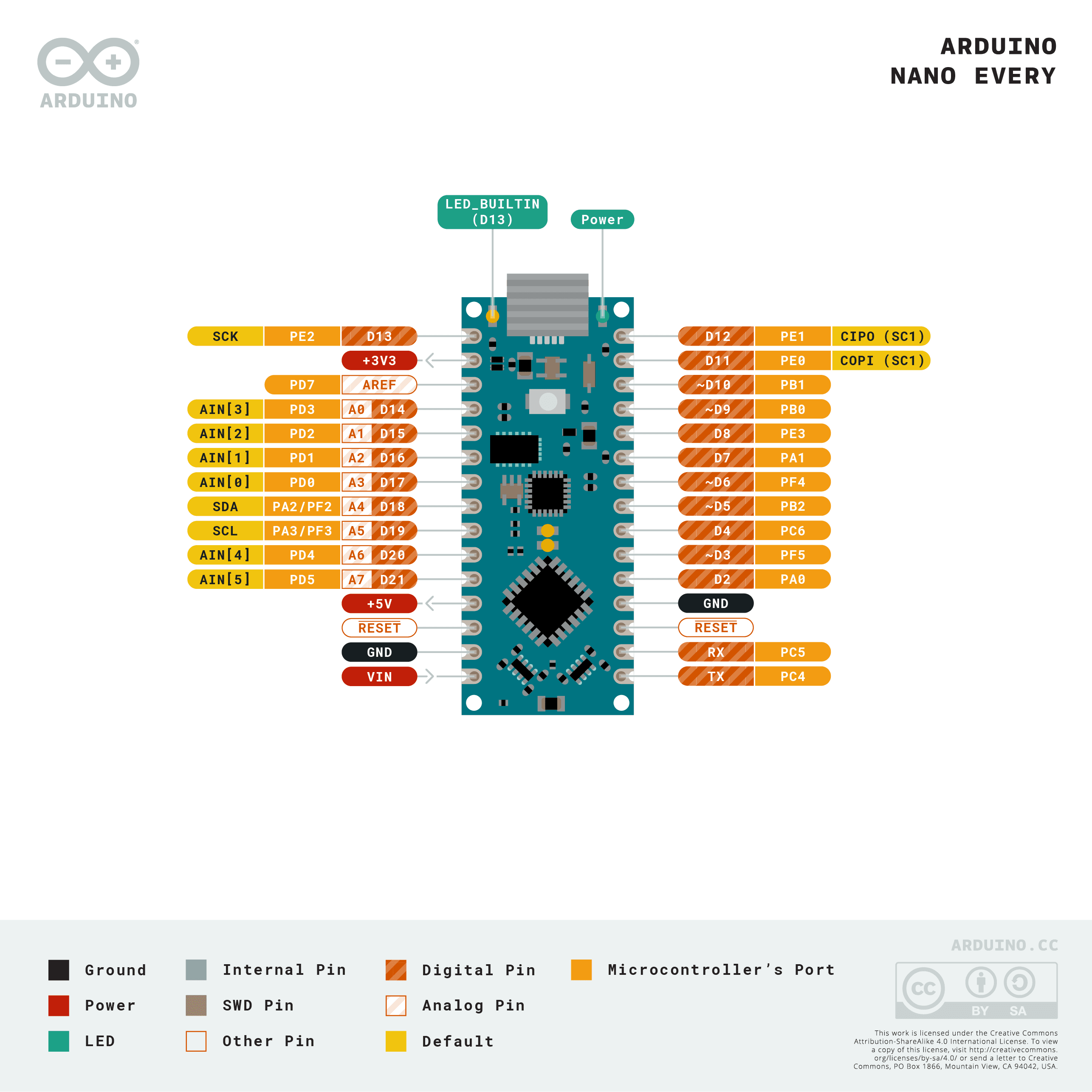
- i_o_from_the_official_core_variant_file_nona4809_pins_arduino_h_https_raw_githubusercontent_com_arduino_arduinocore_megaavr_master_variants_nona4809_pins_arduino_h — - 22 digital I/O (NUM_DIGITAL_PINS 22), PWM on 3, 5, 6, 9, 10 only (digitalPinHasPWM — note: no PWM on pin 11, unlike the classic Nano/Uno). - 8 analog inputs A0–A7 (10-bit ADC; PIN_A0..A7), board-level; the MCU exposes 14 ADC channels. - I²C on dedicated SDA/SCL pins = digital 22/23 (PIN_WIRE_SDA 22, PIN_WIRE_SCL 23, PA2/PA3), not on A4/A5 by default. - SPI on 11/12/13 + SS 8 (PIN_SPI_*); UART0 (Serial1) on pins 0/1; LED_BUILTIN 13.
- power_logic — 5 V logic, classic Nano supply pins (USB 5 V / VIN); UPDI pad for raw programming (diagram in the same pins_arduino.h).
- size_weight — 45 × 18 mm, under 5 g — "Arduino's smallest board" (docs page).
- On this board : 9 tutorials · 10 code
The Arduino Nano Every represents a significant evolutionary step in the lineage of compact microcontroller development boards, serving as the modern successor to the classic Arduino Nano. Launched during the 2018 to 2019 timeframe, this board was designed to offer the familiar form factor and pin compatibility of its predecessor while delivering substantially upgraded internal hardware. It is positioned by its manufacturer, Arduino AG, as a low-cost solution that maintains a small footprint, making it an ideal candidate for embedded projects where space and budget are critical constraints. The board is currently an active product, widely available with or without pre-soldered headers, a flexibility that allows developers to choose between immediate prototyping ease and the clean, flat bottom required for direct soldering into final products. While the exact launch date is sometimes cited differently in various press releases, the consensus places its introduction as a response to the need for more powerful yet still accessible AVR-based microcontrollers.
At the heart of the Nano Every lies the Microchip ATmega4809, an 8-bit AVR microcontroller belonging to the newer AVRex series. This chip operates at a clock speed of 20 MHz, a noticeable increase from the 16 MHz found in the classic Nano, which translates to faster processing times for computational tasks. The memory architecture has been significantly enhanced to support more complex applications. The board features 48 KB of flash memory for storing your program code, which is fifty percent more than the 32 KB found on the popular Arduino Uno. More dramatically, the static random-access memory, or SRAM, has been increased to 6 KB. To put this in perspective, this is three times the amount of RAM available on the Uno’s 2 KB, allowing for larger data buffers, more complex variables, and more demanding dynamic operations without running out of memory. The board operates on 5-volt logic levels, maintaining compatibility with the vast ecosystem of 5-volt sensors and modules that have been standard in the Arduino community for years.
Despite its compact size of just 45 by 18 millimeters and a weight of under five grams, the Nano Every packs a versatile set of input and output capabilities. It provides twenty-two digital I/O pins, eight of which can also function as analog inputs, labeled A0 through A7. These analog inputs utilize a 10-bit analog-to-digital converter, allowing the board to read varying voltage levels from sensors and convert them into digital numbers for processing. However, developers must be aware of specific changes in pin functionality compared to older boards. Pulse Width Modulation, or PWM, is a technique used to simulate analog outputs by rapidly switching a digital pin on and off. On the Nano Every, PWM is available only on digital pins 3, 5, 6, 9, and 10. Notably, pin 11, which supported PWM on the classic Nano and Uno, is now a standard digital input or output pin. This change is crucial for users porting existing projects, as code relying on PWM on pin 11 will not function as expected without modification.
Communication interfaces are another area where the Nano Every offers improvements. The board supports two hardware UARTs, or Universal Asynchronous Receiver-Transmitters, which are standard serial communication ports. One UART is connected to the USB port for communication with a computer, while the second is available on header pins 0 and 1. This dual-UART capability allows for simultaneous communication with a computer for debugging and a separate module, such as a GPS receiver or Bluetooth module, without needing to disconnect cables. However, the implementation of the Inter-Integrated Circuit, or I2C, bus has changed. On classic Arduino boards, I2C communication typically uses pins A4 and A5. On the Nano Every, the primary I2C bus is mapped to dedicated SDA and SCL pins, which correspond to digital pins 22 and 23. This means that legacy shields or wiring diagrams that assume I2C is on A4 and A5 will not work directly with the default settings. Users must either rewire their connections to the new dedicated pins or configure the secondary I2C port if available in their software library, a nuance that requires careful attention during project migration.
The board’s connectivity to a computer is handled by an onboard USB-to-serial bridge module. Unlike some other boards that use simple chips for this conversion, the Nano Every uses a module that enumerates as a standard COM port on your computer, eliminating the need for additional drivers like FTDI or CH340. While this simplifies the user experience, it is important to note that this module is not a programmable microcontroller in the same way as the main ATmega4809 chip. It serves strictly as a bridge for data transmission. The board can be programmed using the standard Arduino IDE, command-line tools, or other compatible environments. For advanced users, the ATmega4809 supports native programming via the Unified Program and Debug Interface, or UPDI, which allows for direct flashing of the chip using a compatible programmer, bypassing the bootloader entirely. This feature is particularly useful for mass production or when precise control over the firmware installation process is required.
Developers should also be mindful of the software ecosystem. The Nano Every runs on the Arduino core for megaAVR devices, which is different from the core used for the classic AVR chips like the ATmega328P. This difference means that while most standard Arduino functions work seamlessly, low-level manipulations of timers and interrupts may behave differently. Libraries that rely on specific timer registers or bit-banging techniques might need updates to function correctly on this newer architecture. Additionally, the ATmega4809 chip has known silicon errata, which are minor hardware bugs documented by the manufacturer. The Arduino core and libraries are designed to work around most of these issues, but for highly specialized applications, consulting the official errata sheets is recommended. Despite these considerations, the Nano Every remains a powerful, cost-effective, and compact solution for a wide range of electronic projects, bridging the gap between legacy compatibility and modern performance needs.
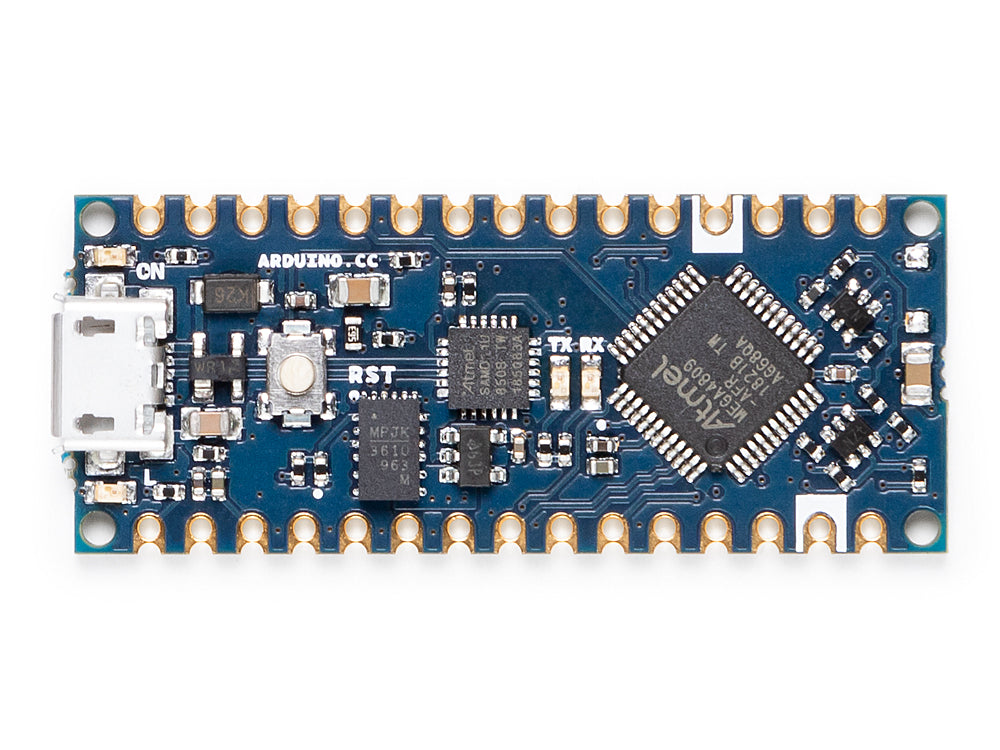
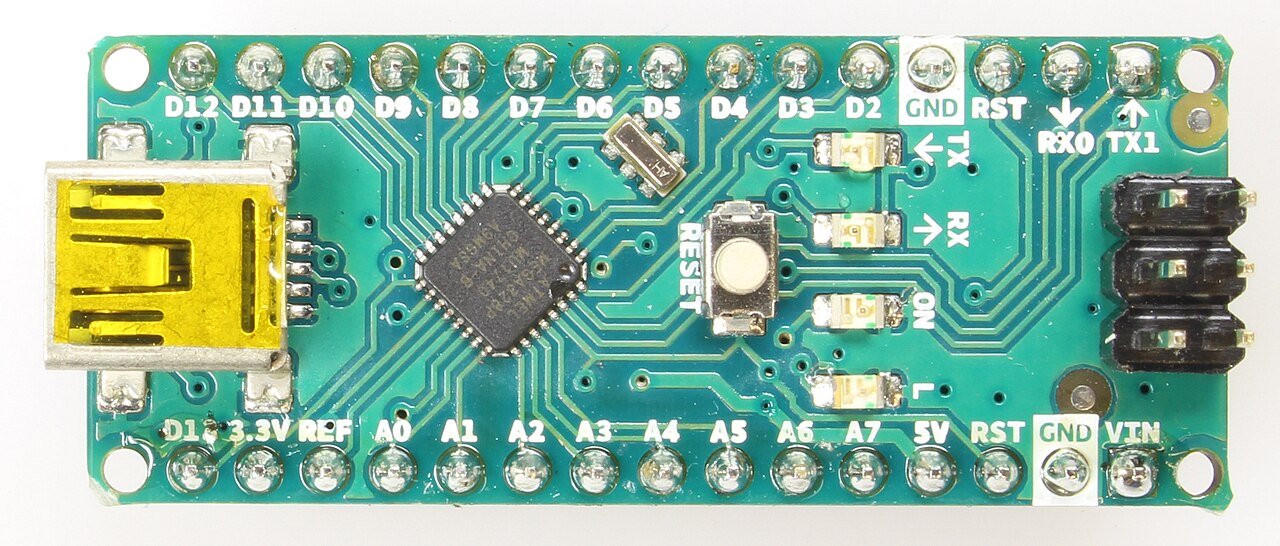
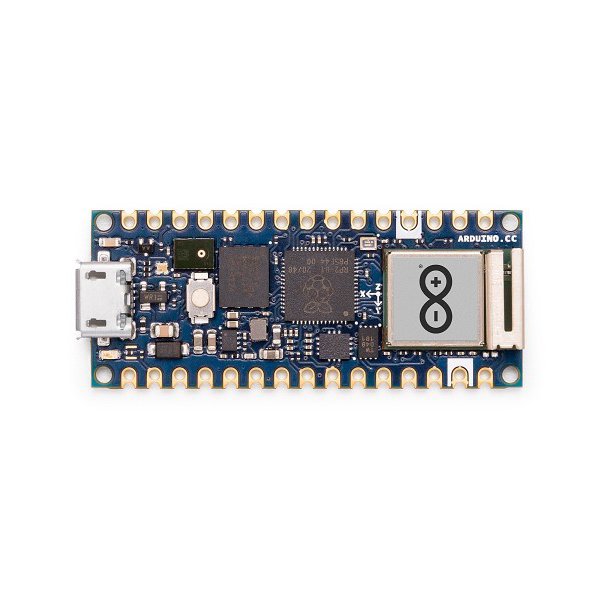
Pinout diagram
| Attr | Specs | verified |
|---|---|---|
mcu | Microchip (ex-Atmel) ATmega4809, 8-bit AVR (AVRex series) @ 20 MHz — "featuring the ATMega4809, a more powerful processor as well as 48KB of CPU Flash memory and a higher clock speed of 20 MHz" (docs page). ATmega4809 product page | ✔ |
memory | 48 KB flash, 6 KB SRAM ("50% more program memory… RAM is 200% bigger" than the Uno's 32 KB/2 KB — store page). EEPROM: | ✔ |
gpu_storage_radio | none. USB serial is provided by an onboard module (see Problems/Features). | ? unverified |
i_o_from_the_official_core_variant_file_nona4809_pins_arduino_h_https_raw_githubusercontent_com_arduino_arduinocore_megaavr_master_variants_nona4809_pins_arduino_h | - 22 digital I/O (NUM_DIGITAL_PINS 22), PWM on 3, 5, 6, 9, 10 only (digitalPinHasPWM — note: no PWM on pin 11, unlike the classic Nano/Uno). - 8 analog inputs A0–A7 (10-bit ADC; PIN_A0..A7), board-level; the MCU exposes 14 ADC channels. - I²C on dedicated SDA/SCL pins = digital 22/23 (PIN_WIRE_SDA 22, PIN_WIRE_SCL 23, PA2/PA3), not on A4/A5 by default. - SPI on 11/12/13 + SS 8 (PIN_SPI_*); UART0 (Serial1) on pins 0/1; LED_BUILTIN 13. | ✔ |
power_logic | 5 V logic, classic Nano supply pins (USB 5 V / VIN); UPDI pad for raw programming (diagram in the same pins_arduino.h). | ✔ |
size_weight | 45 × 18 mm, under 5 g — "Arduino's smallest board" (docs page). | ✔ |
- Manufacturer: Arduino (arduino.cc / Arduino AG).
- Year: launched in the 2018–2019 window as the ATmega4809 successor of the classic Nano.
- Status: Active, current product (docs.arduino.cc/hardware/nano-every, store page).
- Price:
- Variants: sold with or without pre-soldered headers ("tessellated connectors and no components on the B-side", store page); pin-compatible upgrades in the same shell: Nano 33 IoT/BLE, Nano R4 (Wikipedia).
+ Strengths
- Classic Nano pinout, modern AVR: "an evolution of the classic Arduino Nano sharing the same exact pinout" while tripling RAM and gaining 50% flash (docs page, store page).
- Cheapest way into the AVR-Ex (4809) family: more USARTs (up to 4), two TWI ports, better timers, CCL/ACMP/analog extras at the silicon level (ATmega4809 product page).
- Headerless option + flat bottom for direct reflow/solder embedding into products (store page).
- 20 MHz operation vs the classic Nano's 16 MHz (docs page).
- Two hardware UARTs land on the headers (0/1 plus access to a second via the core's Serial1/Serial2 mapping), where the classic Nano had exactly one (pins_arduino.h).
− Weaknesses
- Pin 11 lost PWM: digitalPinHasPWM covers only 3, 5, 6, 9, 10 — shields/sketches PWM-ing pin 11 (the Uno/Nano classic's second OC0B channel) silently get digital I/O (core variant vs Uno PWM pins on Wikipedia).
- I²C moved: the default Wire bus sits on the dedicated SDA/SCL pins (22/23), not on A4/A5 where classic Nano shields expect it (pins_arduino.h). Legacy A4/A5 I²C needs the secondary port.
- USB bridge is a module, not user-programmable silicon — unlike Nano 33 boards, the bridge module doesn't give you a second programmable MCU; reflashing mistakes on it can brick the USB path.
- Different timer behavior: PWM frequencies and millis/timer wiring differ from the classic AVR core (megaavr core rearchitecture); bit-banged or timer-hijacking libraries (some servo/RF encoders) behave differently or need updated versions (ArduinoCore-megaavr).
- Silicon errata: the ATmega4809 family has published errata sheets from Microchip; cores/libraries paper over some of them.
- Retour d'expérience expert expert — expert-arduino
- Retour d'experience sur la Nano Every. C'est clairement l'evolution logique du Nano classique : 48KB de flash et 20MHz contre 32KB et 16MHz, ca change tout pour les sketches lourds. La compatibilite physique du pinout est un vrai plus pour les shields existants. Par contre, attention aux pieges : l… — expert-arduino
- Merci pour le rappel sur la pin 11 ! J'ai passe deux heures a comprendre pourquoi mon contrôleur de moteur ne repondait pas, pensant a un problème d'alim. En lisant la doc, j'ai vu que les pins PWM sont limitees a 3, 5, 6, 9, 10. C'est embetant quand on recycle des vieux codes Arduino. Pour l'I2C, … — maker_bricoleur
- Pour l'I2C, il faut vérifier la lib megaavr, mais en general le port primaire est bien sur les pins dediees. Le plus chiant c'est la bibliotheque de servo ou certains drivers RF qui utilisent les timers differents du core megaavr. J'ai du mettre à jour plusieurs libs qui tournaient sur mon ancien N… — hobbyiste_avr
Community feedback and projects
- Can a Nano Every be powered through the 5V pin? forum.arduino.cc
- Nano Every: subsequent analogRead() corrupts values forum.arduino.cc
- Extracting binary code and programming Arduino Nano Every with completely damaged usb port [SOLVED] forum.arduino.cc
- The Chip of the Nano Every gets hot. no reaction from the board forum.arduino.cc
- Nano Every AVR incompatibility warning forum.arduino.cc
Content not available yet.
- Pin 11 lost PWM: digitalPinHasPWM covers only 3, 5, 6, 9, 10 — shields/sketches PWM-ing pin 11 (the Uno/Nano classic's second OC0B channel) silently get digital I/O (core variant vs Uno PWM pins on Wikipedia).
- I²C moved: the default Wire bus sits on the dedicated SDA/SCL pins (22/23), not on A4/A5 where classic Nano shields expect it (pins_arduino.h). Legacy A4/A5 I²C needs the secondary port.
- USB bridge is a module, not user-programmable silicon — unlike Nano 33 boards, the bridge module doesn't give you a second programmable MCU; reflashing mistakes on it can brick the USB path.
- Different timer behavior: PWM frequencies and millis/timer wiring differ from the classic AVR core (megaavr core rearchitecture); bit-banged or timer-hijacking libraries (some servo/RF encoders) behave differently or need updated versions (ArduinoCore-megaavr).
- Silicon errata: the ATmega4809 family has published errata sheets from Microchip; cores/libraries paper over some of them.
- Faire clignoter la LED builtin (broche 13) debutant Schéma : IMG-nano-every-debutant-1-nanoevery-blink-led13.svg — Vue de dessus d'une Arduino Nano Every avec la LED builtin de la broche 13 mise en évidence par des rayons lumineux
- Lire un bouton avec résistance de pull-up interne debutant Schéma : IMG-nano-every-debutant-2-nanoevery-bouton-pullup.svg — Bouton à bouton-poussoir câblé entre la broche 2 et GND sur une Nano Every, avec le symbole de la résistance de pull-up interne dessinée dans la puce
- Lire un capteur analogique sur A0-A7 debutant Schéma : IMG-nano-every-debutant-3-nanoevery-capteur-analogique.svg — Potentiomètre relié au 5 V, à la broche A0 et à GND sur une Nano Every, avec l'échelle ADC 10 bits (0-1023) annotée
- Variateur lumineux en PWM (broches 3, 5, 6, 9, 10) intermediaire Schéma : IMG-nano-every-intermediaire-1-nanoevery-pwm-led.svg — Nano Every avec une LED et sa résistance de 220 ohm sur la broche 9, un oscilloscope dessinant le signal PWM, et la liste des broches PWM autorisées annotée sur la carte
- Piloter un micro-servo avec la bibliothèque Servo intermediaire Schéma : IMG-nano-every-intermediaire-2-nanoevery-servo.svg — Micro-servo de type SG90 alimenté par le 5 V de la Nano Every, signal sur la broche 9, avec les trois fils couleur (signal, VCC, GND) et un bras d'angle annoté
- Deux ports série : Serial (USB) et Serial1 (broches 0/1) intermediaire Schéma : IMG-nano-every-intermediaire-3-nanoevery-serial1-vs-serial.svg — Nano Every au centre avec d'un côté le câble USB reliant la carte au PC (port Serial) et de l'autre un module GPS branché sur les broches 0 et 1 (port Serial1), flèches de données dans les deux sens
- Apprivoiser les registres modernes de l'ATmega4809 : le timer TCB avance Schéma : IMG-nano-every-avance-1-nanoevery-registres-avr-tcb.svg — Puce ATmega4809 schématique avec le bloc timer TCB0 en évidence, ses registres CTRLA, CCMP et INTCTRL dessinés en pile, et une horloge 20 MHz en entrée
- Sommeil profond et réveil par watchdog avance Schéma : IMG-nano-every-avance-2-nanoevery-sleep-watchdog.svg — Nano Every endormie alimentée par une pile, croissant de lune au-dessus de la carte, petit chien de garde (watchdog) dessiné à côté d'un chronomètre une seconde, LED 13 allumée brièvement
- Data logger autonome : EEPROM + horloge RTC I²C avance Schéma : IMG-nano-every-avance-3-nanoevery-datalogger-eeprom-rtc.svg — Nano Every reliée par I2C (broches dédiées SDA/SCL) à un module DS3231 avec sa pile bouton, une puce EEPROM en médaillon, et une carte SD barrée remplacée par le symbole mémoire interne
Code library — examples written for this board
multi-serie.inoArduinoadc-filtre.inoArduinointerrupt-bouton.inoArduinonvm-consignes.inoArduinosommeil-every.inoArduinowatchdog-secours.inoArduinofade-pwm.inoArduinoconsole_bouton.pyPythonmicros-cycle.inoArduinostation-air.inoArduino
Examples and repos found online
- arduino/ArduinoCore-megaavr github.com
- arduino-libraries/Servo github.com
- fachat/nano-every-serial-example github.com