Arduino Tian (id: tian)
⚡ The essentials in 60 seconds
- soc — Qualcomm Atheros AR9342 (MIPS)
- clock — 560 MHz per official spec table; the same page's prose says "up to 533 MHz"; CNX says 535 MHz (MIPS 74Kc) — see Problems
- ram — 64 mb
- storage — 16 MB flash (firmware) + 4 GB eMMC (data)
- wifi — 802.11 b/g/n, 2×2, dual-band 2.4/5 GHz (table wording is garbled — see Problems)
- ethernet — table: "802.3 10/100/1000 Mbit/s"; CNX: 10/100M — see Problems
- On this board : 9 tutorials · 10 code
The Arduino Tian stands as a distinctive experiment in the history of open-source hardware, representing a bold attempt to merge the simplicity of microcontroller programming with the full power of a Linux operating system on a single compact board. Introduced around late 2015, during a period of significant corporate restructuring for Arduino, the Tian was positioned as the successor to the popular Arduino Yun. While the Yun had successfully introduced the concept of a hybrid board, the Tian aimed to modernize this architecture by replacing the older components with more powerful and versatile silicon. At its core, the Tian is a dual-processor system, a design choice that allows it to handle real-time hardware control and complex network communications simultaneously. This architecture is not merely a marketing gimmick but a functional necessity for projects that require both the deterministic timing of a microcontroller and the flexible, high-level processing capabilities of a Linux computer. Understanding the Tian requires looking at it not as one chip, but as two distinct brains working in tandem, each responsible for different aspects of the project’s operation.
The first brain of the Tian is the microcontroller, which handles the physical interaction with sensors, motors, and other electronic components. Contrary to some widespread misconceptions found in third-party catalogs, the Tian does not use the ATmega32U4 chip found in the Arduino Leonardo or the Yun. Instead, it employs the Atmel ATSAMD21G18, a modern 32-bit microcontroller based on the ARM Cortex-M0+ architecture. This shift from the older 8-bit AVR architecture to a 32-bit ARM core brings several advantages, including higher processing speeds and more efficient power management. The ATSAMD21G18 runs at 48 MHz and provides 256 KB of flash memory for storing your code, along with 32 KB of SRAM for temporary data. It operates at 3.3 volts, which is a critical detail for beginners to note, as it differs from the 5-volt logic levels common in older Arduino boards like the Uno. This means that connecting 5-volt sensors directly to the Tian’s pins can damage the board, requiring careful attention to voltage levels in circuit design. The microcontroller side offers twelve analog inputs, twelve PWM outputs, and standard digital I/O pins, providing a familiar interface for those accustomed to Arduino programming. However, the Tian introduces some unique constraints, such as specific pin conflicts for PWM outputs and the fact that the SPI communication bus is only available on the ICSP header, which can limit compatibility with certain shields that do not support ICSP pass-through.
The second brain of the Tian is the Qualcomm Atheros AR9342, a system-on-chip that runs a Linux distribution. This component is essentially a small computer in its own right, featuring a MIPS processor and 64 MB of DDR2 RAM. It is this Linux side that gives the Tian its connectivity superpowers. Unlike the microcontroller, which struggles with complex networking stacks, the AR9342 handles Wi-Fi and Bluetooth connections with ease. The board supports dual-band 802.11 b/g/n Wi-Fi, allowing it to connect to both 2.4 GHz and 5 GHz networks, and includes a CSR8510 chip for Bluetooth with EDR and Bluetooth Low Energy 4.0 support. This combination makes the Tian particularly suitable for Internet of Things applications where a device needs to send data to the cloud, host a web server, or communicate with mobile devices. The Linux side also comes with 4 GB of eMMC storage, a type of embedded flash memory that is much faster and more reliable than the SD cards used in previous Arduino boards. This onboard storage allows the board to keep logs, store large datasets, or run Python scripts without the need for external memory cards, simplifying the physical design of the project. The Linux operating system used is Linino, a distribution based on OpenWrt, which is widely used in router firmware. This choice provides a robust environment for network tasks and allows users to install additional software packages using the OpenWrt package manager, extending the board’s capabilities far beyond what is possible on a standard microcontroller.
Communication between these two distinct worlds—the microcontroller and the Linux computer—is managed through a specialized framework called Ciao. This is a crucial point for anyone transitioning from the Arduino Yun, as the older Bridge library used in the Yun is not compatible with the Tian. Ciao provides a set of classes and methods that allow the Arduino sketch running on the SAMD21 to send messages, run commands, and exchange data with the Linux side. For example, a sketch can read a sensor value on the microcontroller and use Ciao to send that data to a Python script running on the Linux side, which can then process it and send it to a web server. This separation of concerns allows developers to write efficient, low-level code for hardware interactions in C++ while leveraging the high-level libraries and networking tools available in Linux for data processing and communication. The physical connection between the two processors is handled via a USB hub, where the microcontroller acts as a USB gadget, allowing the Linux side to see it as a serial device. This architecture also enables a unique power management feature: the microcontroller can turn the Linux side on or off by controlling a specific pin. This allows for battery-powered projects where the Linux computer is only activated when necessary, significantly extending operational time.
Despite its technical merits, the Arduino Tian has a complex legacy and is currently considered end-of-life. The board was launched during a turbulent time for the Arduino company, and its ecosystem has since been largely abandoned. The official store page for the Tian is no longer active, and the dedicated GitHub repositories for its firmware and core libraries have been removed. This means that while the hardware is still functional, finding up-to-date software, drivers, and community support can be challenging. Users often encounter issues with driver installation, particularly the CP2105 USB-to-serial bridge driver, which is required for the board to communicate with a computer. Additionally, the official documentation contains several inconsistencies regarding technical specifications, such as the exact clock speed of the Linux processor and the number of analog inputs, which can lead to confusion. There are also reports of sales variants with Wi-Fi disabled due to regional certification issues, so buyers of second-hand units must verify the functionality of the wireless modules. These factors, combined with the shift in the Arduino product line towards other platforms, mean that the Tian is no longer recommended for new projects. However, for those who already own one or are interested in the history of hybrid microcontroller-Linux boards, the Tian remains a fascinating piece of hardware that demonstrates the potential of combining real-time control with full-featured computing. Its design philosophy influenced later developments in the IoT space, even if the board itself did not achieve long-term commercial success.

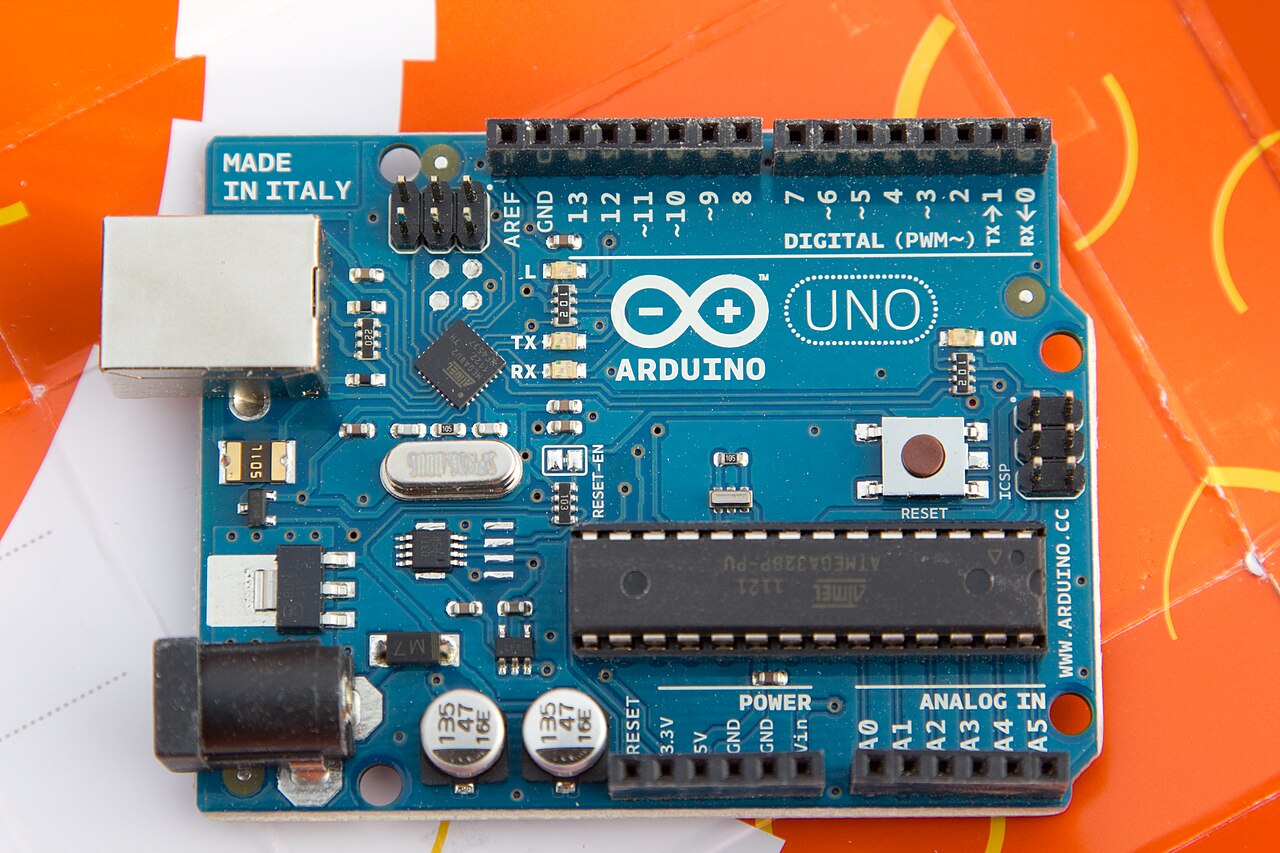
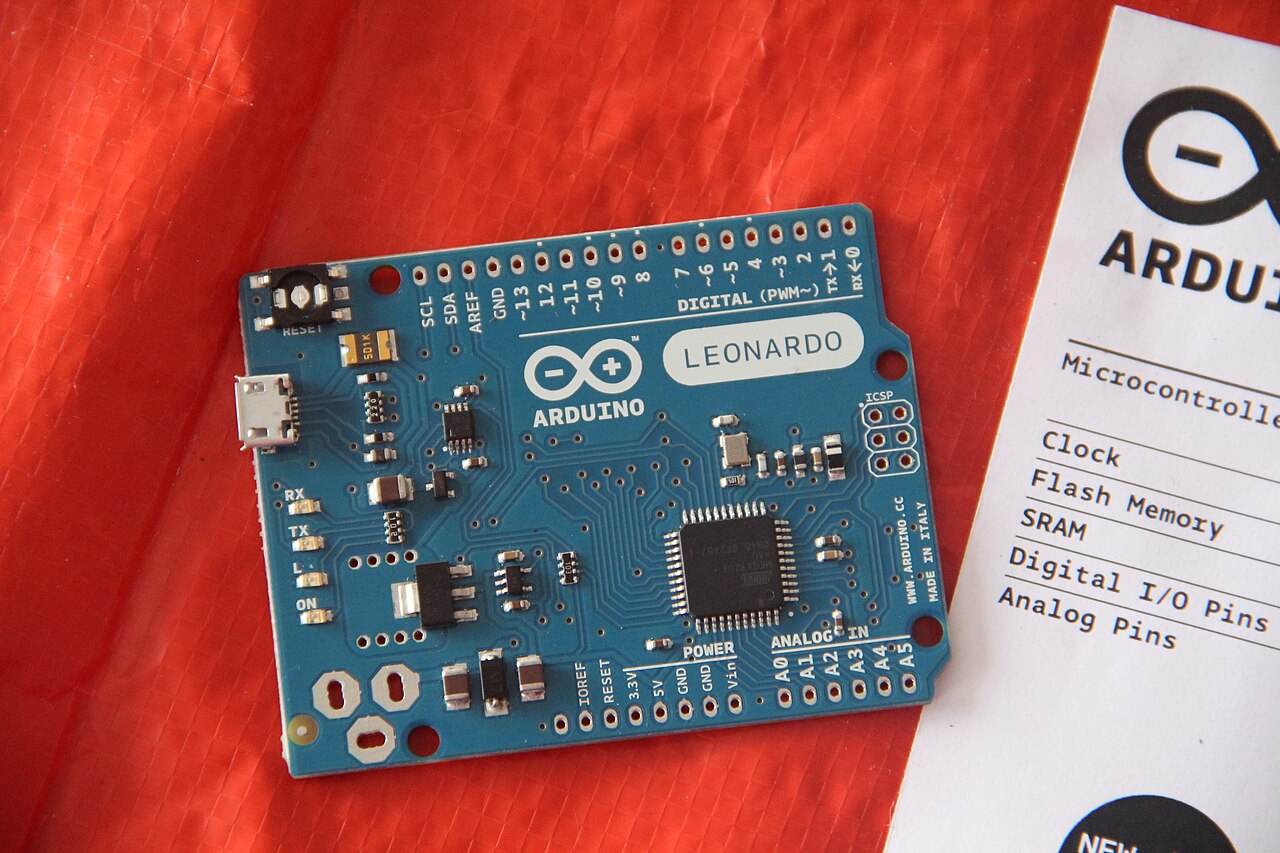
Pinout diagram
| Attr | Specs | verified |
|---|---|---|
soc | Qualcomm Atheros AR9342 (MIPS) | ? unverified |
clock | 560 MHz per official spec table; the same page's prose says "up to 533 MHz"; CNX says 535 MHz (MIPS 74Kc) — see Problems | ? unverified |
ram | 64 mb | ? unverified |
storage | 16 MB flash (firmware) + 4 GB eMMC (data) | ? unverified |
wifi | 802.11 b/g/n, 2×2, dual-band 2.4/5 GHz (table wording is garbled — see Problems) | ? unverified |
ethernet | table: "802.3 10/100/1000 Mbit/s"; CNX: 10/100M — see Problems | ? unverified |
usb | USB 2.0 Host (via onboard 4-port hub: Bluetooth, eMMC, SAMD21, USB host port) | ? unverified |
bluetooth | CSR8510, Bluetooth with EDR / Bluetooth Low Energy 4.0 | ? unverified |
mcu | Atmel ATSAMD21G18, ARM Cortex-M0+, 48 MHz (tian.build.mcu=cortex-m0plus, f_cpu=48000000L in ArduinoCore-samd boards.txt, fetched 2026-10-13) | ✔ |
flash_ram | 256 KB flash (official page: "69 KB used for the bootloader", factory-burnt in dedicated ROM, NVM-fuse protected) / 32 KB SRAM | ? unverified |
i_o_voltage | 3.3 V (IOREF = 3.3 V); 20 digital I/O @ 3.3 V, 40 mA/pin max, 20–50 kΩ internal pull-ups (official page) | ? unverified |
pwm | 12 outputs; pins 2–13 default 8-bit analogWrite; pins 4&10 and 5&12 cannot be used simultaneously (official page) | ? unverified |
adc | 12 analog inputs A0–A11, 10-bit (A6–A11 shared with digital pins 4, 6, 8, 9, 10, 12); the spec table lists "6" — see Problems | ? unverified |
dac | 10-bit DAC on pin A0 via analogWrite (official page) | ? unverified |
bus_pins | TWI (SDA/SCL) present but not on the digital I/O header; SPI only on the 6-pin ICSP — Uno SPI shields without ICSP pass-through do not work (official page) | ? unverified |
dc_current_per_i_o | 7 ma | ? unverified |
- Manufacturer: Arduino (Arduino AG). The board dates from the arduino.org / Arduino SRL era of the 2015 trademark split; CEO Federico Musto demoed it in a Hackaday interview dated 2016-01-04, which states the Tian "has only been available for about a month" at that time, i.e. shipping ≈ December 2015 (, fetched 2026-10-13).
- Positioning: successor/updater of the Arduino Yun, replacing the Yun's ATmega32U4 MCU + Atheros AR9331 WiSoC with a SAMD21 + Atheros AR9342 (CNX Software, fetched 2026-10-13). It belongs to the China/Asia push announced by Massimo Banzi in Shenzhen in June 2015 together with manufacturing partner Seeed Studio for the Asian, especially Chinese, market (, fetched 2026-10-13). A cheaper China-only sibling, the Lei (Tian Linux side + Yun's ATmega part, no onboard memory), was shown at the same time but never certified outside China (Hackaday, URL above).
- Product code / SKU: A000116 (official page frontmatter and Tech Specs table, fetched 2026-10-13).
- Status: End-of-life / retired. The board page lives under /retired/ on docs.arduino.cc; store.arduino.cc/arduino-tian returns 404 (checked 2026-10-13); the old docs.arduino.cc/legacy/tian path 404s; the dedicated GitHub repos named in the task brief (arduino/tian-core, arduino/ArduinoCore-linux, arduino/openwrt-tian) all return 404 and no "tian" repository remains in the arduino GitHub org (checked 2026-10-13).
- Launch price: > mber without re-checking those snapshots.
- Variants: none official beyond the single A000116 revision (schematics "TIAN-V03-20160219"); the China-only Lei is a distinct board, not a Tian variant.
+ Strengths
- Dual-processor hybrid: a 32-bit Cortex-M0+ "Arduino" wired to a MIPS Linux router-class SoC — the Yun concept with a faster, dual-band, BT-capable part set (official page; CNX).
- MCU power-gates Linux: digitalWrite(32, HIGH/LOW) switches the Linux side on/off from the MCU to cut power consumption (official page; demoed to Hackaday 2016-01-04, including a graceful Linux shutdown from an MCU button press).
- USB hub topology: the AR9342 drives a 4-port USB hub hosting Bluetooth, the eMMC, the SAMD21 (as a USB gadget/serial) and the external USB host port (official page).
- Dual-band 2×2 802.11n + combo Bluetooth EDR/BLE 4.0 (CSR8510) — unusual for the 2015 Arduino line (official page; CNX).
- 4 GB eMMC onboard data storage — no SD card juggling (official page; Hackaday).
- Ciao framework instead of the Yun Bridge library for MCU↔Linux messaging, with REST/Process/Mailbox-style classes (official page links arduino.cc/en/Reference/Ciao).
- AVR-emulation build flag tian.build.emu.mcu=atmega2560 in ArduinoCore-samd, i.e. the SAMD21 core carries an ATmega2560-compatibility layer (boards.txt).
- Three independent reset domains (MCU / Linux / WLAN) (official page).
- USB pins broken out on headers so the MCU can be used as a standalone USB device (Hackaday 2016-01-04).
− Weaknesses
- Wrong silicon widely attributed to this board. Catalog entries claiming "MT7688 + ATmega32U4" match no official source: the ATmega32U4 is the Yun's MCU (still in production at Microchip, fetched 2026-10-13) and the MT7688 is the Seeed LinkIt Smart 7688's SoC . CNX explicitly describes the Tian as replacing the Yun's 32U4/AR9331 with SAMD21/AR9342 .
- Bridge library incompatible. Arduino's own page: "the Bridge library isn't compatible" on the Tian — only Ciao works, so most Yun tutorials must be ported (official page, fetched 2026-10-13).
- Spec-sheet inconsistencies (official page): clock 533 MHz (prose) vs 560 MHz (table) vs 535 MHz (CNX); Ethernet "10/100/1000" (table) vs 10/100M (CNX); WiFi row reads "802.11 b/g/n 2.4 GHz dual-band" while prose says 2.4/5 GHz; analog inputs "6" (table) vs 12 (A0–A11, prose). Treat table values with suspicion.
- CP2105 driver requirement: without the CP201x VCP driver the board's two COM ports (SAMD21 + Linux console) don't appear (official page).
- Serial semantics: Serial = USB CDC to the PC; the 3.3 V UART on pins 0/1 is Serial5; opening the serial monitor resets the MCU (1200-baud touch) — trips up anyone coming from AVR boards (official page).
- PWM pin conflicts (4&10, 5&12 mutually exclusive), SPI only on ICSP (breaks SPI shields without ICSP pass-through), TWI not on the I/O header, A6–A11 shared with digital pins 4/6/8/9/10/12 (official page).
- WiFi-disabled sales variants: in countries lacking certification, distributors shipped Tians with WiFi disabled — check units second-hand (official page NB note).
- Ecosystem abandonment: board page retired, store page deleted, dedicated firmware/core repos removed from GitHub (all 404 on 2026-10-13); community content is thin and mostly Yun-oriented. >
- Power budget: 470 mA typical at 5 V means USB ports and thin power banks can brown out when WiFi, USB host and Linux are all active (official page table + power section).
- Retour d'expérience expert expert — expert-arduino
- Petit retour sur la Tian (A000116), qui est malheureusement en fin de vie. Si vous récupérez une carte d'occasion, attention au modèle : il n'y a pas de variantes officielles, mais certains lots destinés à des marchés non certifiés ont le WiFi désactivé. C'est un vrai piège. Pour la doc, sachez que… — expert-arduino
- Merci pour le rappel sur les pièges d'achat. J'ai justement une question pratique sur la connectique. J'essaie de brancher un shield SPI classique qui ne dispose que d'une prise standard et pas de passe-through ICSP. D'après ce que j'ai compris en lisant les notes, le bus SPI de la Tian est uniquem… — maker_bricoleur
- To answer your question about SPI, yes, it's confirmed by the official documentation: the SPI pins are not on the standard digital headers, you have to go through the ICSP. For power, the typical consumption announced is 470 mA at 5V, but the peak with WiFi and USB enabled can cause voltage drops i… — guy_du_forum
Community feedback and projects
- General advice for Arduino Tian forum.arduino.cc
- Tian stops working after some hours forum.arduino.cc
- Arduino TIAN timeout occurring and stop of the program after several hours forum.arduino.cc
- Arduino Tian forum.arduino.cc
- Official board page (retired, live)
- Official board page (retired, live)
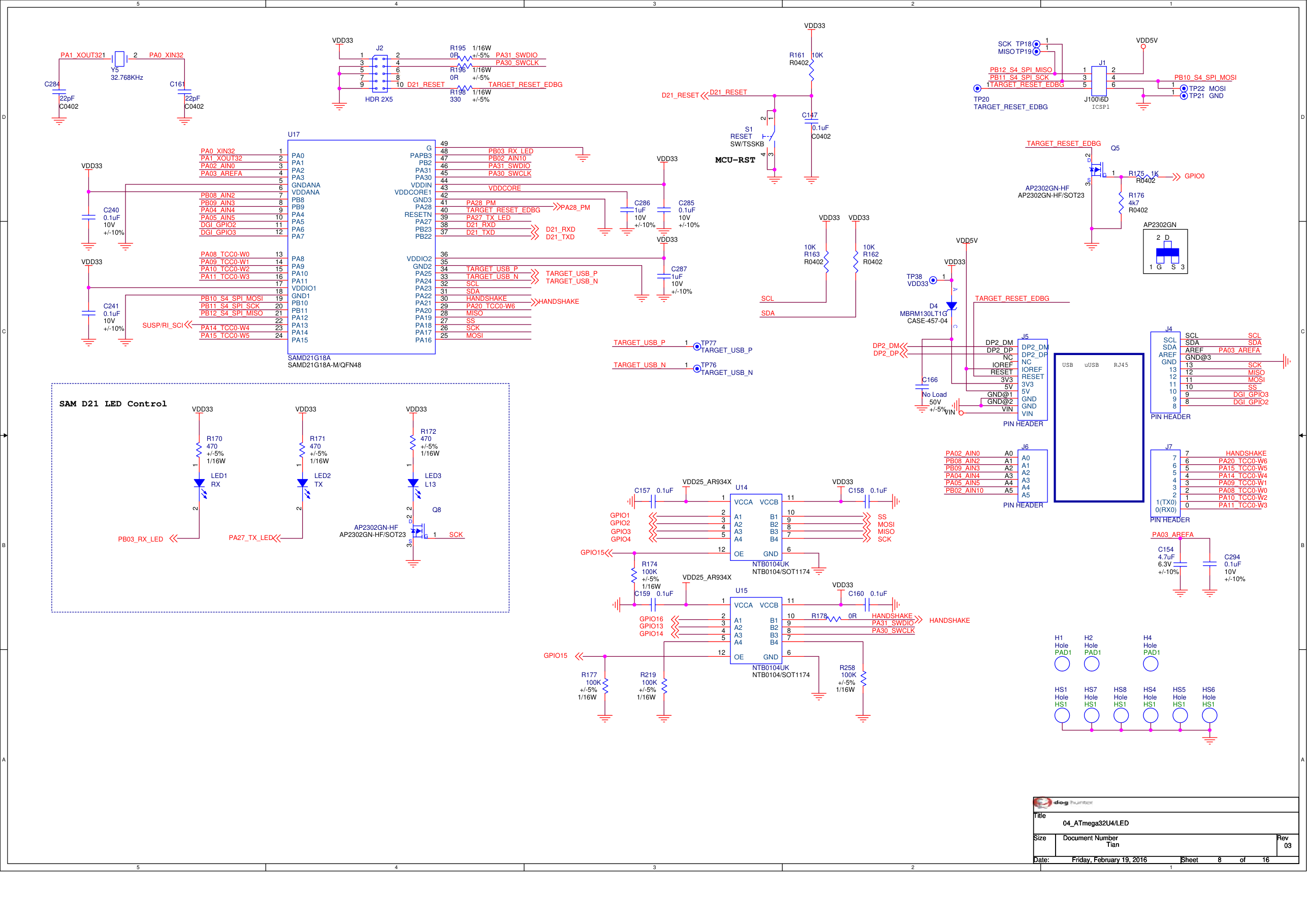
- Schematics (open-source hardware, rev V03 2016-02-19)
- Schematics (open-source hardware, rev V03 2016-02-19)
- Board definition
- Ciao library reference
- CP2105/CP210x VCP drivers (Silicon Labs)
- CNX Software Tian specs/announcement
- Hackaday interview + Tian demo (2016-01-04)
- Arduino Yun OpenWrt build repo (Linino lineage context; the Tian equivalent was deleted)
- ATmega32U4 product page (the chip the Tian does NOT use)
- MT7688 in context (Seeed LinkIt SoC, not Tian)
- Community
- Community
- Wrong silicon widely attributed to this board. Catalog entries claiming "MT7688 + ATmega32U4" match no official source: the ATmega32U4 is the Yun's MCU (still in production at Microchip, fetched 2026-10-13) and the MT7688 is the Seeed LinkIt Smart 7688's SoC . CNX explicitly describes the Tian as replacing the Yun's 32U4/AR9331 with SAMD21/AR9342 .
- Bridge library incompatible. Arduino's own page: "the Bridge library isn't compatible" on the Tian — only Ciao works, so most Yun tutorials must be ported (official page, fetched 2026-10-13).
- Spec-sheet inconsistencies (official page): clock 533 MHz (prose) vs 560 MHz (table) vs 535 MHz (CNX); Ethernet "10/100/1000" (table) vs 10/100M (CNX); WiFi row reads "802.11 b/g/n 2.4 GHz dual-band" while prose says 2.4/5 GHz; analog inputs "6" (table) vs 12 (A0–A11, prose). Treat table values with suspicion.
- CP2105 driver requirement: without the CP201x VCP driver the board's two COM ports (SAMD21 + Linux console) don't appear (official page).
- Serial semantics: Serial = USB CDC to the PC; the 3.3 V UART on pins 0/1 is Serial5; opening the serial monitor resets the MCU (1200-baud touch) — trips up anyone coming from AVR boards (official page).
- PWM pin conflicts (4&10, 5&12 mutually exclusive), SPI only on ICSP (breaks SPI shields without ICSP pass-through), TWI not on the I/O header, A6–A11 shared with digital pins 4/6/8/9/10/12 (official page).
- WiFi-disabled sales variants: in countries lacking certification, distributors shipped Tians with WiFi disabled — check units second-hand (official page NB note).
- Ecosystem abandonment: board page retired, store page deleted, dedicated firmware/core repos removed from GitHub (all 404 on 2026-10-13); community content is thin and mostly Yun-oriented. >
- Power budget: 470 mA typical at 5 V means USB ports and thin power banks can brown out when WiFi, USB host and Linux are all active (official page table + power section).
- Découvrir l'Arduino Tian : un microcontrôleur et un vrai Linux sur la même carte debutant Schéma : IMG-tian-debutant-1-tian-premiers-pas.svg — Arduino Tian vue de dessus : connecteur micro-USB, prise Ethernet RJ45, port USB host, deux rangées de picots, puces SAMD21 et AR9342 annotées, câble micro-USB branché.
- Bouton et LED sur les GPIO de la Tian : les bases côté SAMD21 debutant Schéma : IMG-tian-debutant-2-tian-bouton-led-gpio.svg — Arduino Tian sur breadboard : bouton poussoir entre un picot d'E/S et GND, LED avec résistance 330 Ω sur un autre picot, double rangée de broches mise en évidence.
- Lire un capteur avec l'ADC 12 bits du SAMD21 debutant Schéma : IMG-tian-debutant-3-tian-lecture-analogique-12-bits.svg — potentiomètre 10 kΩ sur breadboard, curseur relié au picot A0 de l'Arduino Tian, alimentation du potentiomètre entre les rails 3,3 V et GND de la carte.
- Le Bridge : faire exécuter des commandes Linux depuis le croquis intermediaire Schéma : IMG-tian-intermediaire-1-tian-bridge-shell-linux.svg — Arduino Tian schématique en deux blocs : puce SAMD21 à gauche, puce AR9342 (Linux/OpenWRT) à droite, flèche UART centrale étiquetée « Bridge », terminal affichant « cat /proc/uptime ».
- Configurer le WiFi et piloter Linino en SSH intermediaire Schéma : IMG-tian-intermediaire-2-tian-panneau-web-ssh.svg — Arduino Tian reliée à un routeur par Ethernet, un PC affichant le panneau de configuration web de la carte, terminal SSH ouvert sur un shell OpenWRT avec la commande « opkg update ».
- Télémétrie : pousser une mesure du capteur vers le réseau intermediaire Schéma : IMG-tian-intermediaire-3-tian-telemetrie-capteur-reseau.svg — Arduino Tian avec capteur de luminosité sur A0, flèches en cascade : SAMD21 vers Linux via Bridge, Linux vers un routeur puis un PC affichant des courbes, mention « curl POST ».
- GPIO duos : commander les broches de l'Arduino depuis Linux avance Schéma : IMG-tian-avance-1-tian-gpio-partages-linux.svg — Arduino Tian en vue éclatée : une même broche physique reliée à la fois au SAMD21 et au contrôleur GPIO de l'AR9342, terminal Linux avec « echo 0 > /sys/class/gpio/export », LED clignotée depuis un script shell.
- Le Bluetooth Low Energy embarqué, vu depuis le croquis avance Schéma : IMG-tian-avance-2-tian-ble-bridge.svg — Arduino Tian au centre, un smartphone et un capteur BLE autour avec des ondes 2,4 GHz, flèche interne « module BLE -> Linux -> Bridge -> SAMD21 », terminal affichant une liste de périphériques découverts.
- Linino en production : opkg, Python, cron et système de fichiers sous contrainte avance Schéma : IMG-tian-avance-3-tian-openwrt-terrain-cron-python.svg — Arduino Tian en boîtier DIN avec antenne WiFi extérieure, terminal Linux montrant « crontab -e » et « python3 logger.py », icône flash 16 Mo avec jauge de remplissage.
Code library — examples written for this board
clignotant-rest.inoArduinoconsole-bridge.inoArduinovaleurs-partagees.inoArduinoprocess-shell.inoArduinoserveur-json.inoArduinolecture-fichier.inoArduinorelais-consigne.inoArduinostats-systeme.inoArduinoreleve-periodique.inoArduinoalerte-obscurite.inoArduino
Examples and repos found online
- arduino/ArduinoCore-sam github.com
- initialstate/arduino-tian-weather-hub github.com