BeaglePlay (TI Sitara AM6254 / AM625)
⚡ The essentials in 60 seconds
- soc — Texas Instruments Sitara AM6254 (AM625 family, industrial-grade 13×13 mm ALW package) (announcement, TI AM625 product page, docs introduction).
- cpu — 4× Arm Cortex-A53 @ 1.4 GHz (64-bit), 512 KB shared L2, 32 KB L1 I-cache + 32 KB L1 D-cache per core (announcement; 1.4 GHz OPP confirmed in the mainline DTS opp-1400000000 node, k3-am625-beagleplay.dts).
- real_time_cores — 1× Cortex-M4F up to 400 MHz, 1× Cortex-R5F (K3 management core), dual-core PRUSS (PRU-ICSS) @ 333 MHz (announcement).
- gpu — Imagination PowerVR AXE-1-16M ("Rogue" branding in CNX), up to 2048×1080@60, OpenGL ES 3.1, Vulkan 1.2 (Wikipedia table, announcement).
- ram — 2 GB DDR4 (1Gbx16, 1600 MHz / 3200 Mbps) (announcement; DTS memory node / 2G RAM /).
- storage — 16 GB eMMC (HS200-capable, mmcblk0) + microSD slot (1.8/3.3 V signalling via vdd_sd_dv regulator) (docs introduction, DTS).
- On this board : 9 tutorials · 10 code
The BeaglePlay is a single-board computer designed by the BeagleBoard.org Foundation and produced under the Seeed Studio brand, representing a significant shift in the open-hardware landscape by prioritizing connectivity and industrial networking over raw computational power. Announced in March 2023 with a launch price of US$99, this board is built around the Texas Instruments Sitara AM6254 system-on-chip, an industrial-grade processor that balances performance with efficiency. At its core, the AM6254 features four Arm Cortex-A53 cores running at 1.4 GHz, supported by 2 GB of DDR4 RAM and 16 GB of eMMC storage. While these specifications might seem modest compared to high-end desktop replacements, they are carefully chosen for the board’s intended role as a robust gateway for sensor networks and edge computing tasks. The inclusion of a PowerVR AXE-1-16M GPU allows for basic graphical output, supporting resolutions up to 1080p, which makes the board suitable for human-machine interfaces or digital signage applications.
What truly distinguishes the BeaglePlay from other single-board computers is its comprehensive suite of communication interfaces, designed to bridge the gap between modern IP networks and long-range industrial field buses. The board features dual Ethernet ports: a standard Gigabit Ethernet RJ45 port for local network connectivity and, more uniquely, a Single-Pair Ethernet (SPE) port using an RJ11 connector. This SPE port utilizes the IEEE 802.3cg 10BASE-T1L standard, allowing data transmission over a single twisted pair of wires for distances up to one kilometer. This is particularly valuable in industrial automation, where running traditional multi-pair Ethernet cables is impractical. Furthermore, the board can supply power over this same pair via Power over Data Line (PoDL) at 5 V and 250 mA, enabling it to power remote nodes without separate power cables. It is important to note that this PoDL capability is output-only; the BeaglePlay cannot be powered via its SPE port, a limitation users must consider during system design.
Beyond wired connections, the BeaglePlay integrates advanced wireless capabilities through a dedicated Texas Instruments CC1352P7 microcontroller. This chip handles Bluetooth Low Energy and IEEE 802.15.4 communications, including sub-GHz frequencies that support the BeagleConnect protocol. This allows the board to act as a gateway for low-power wide-area networks, communicating with remote sensor nodes like the BeagleConnect Freedom at distances of up to one kilometer. Unlike many proprietary wireless modules, the CC1352P7 runs open-source Zephyr-based firmware, making it fully programmable and transparent to developers. This openness extends to the hardware itself, which is OSHW-certified, with all schematics, bill of materials, and design files publicly available. This transparency ensures that developers can understand every aspect of the board’s operation, fostering a community-driven approach to troubleshooting and innovation.
The input and output options on the BeaglePlay are designed for ease of use with modern sensor ecosystems rather than legacy compatibility. Contrary to some assumptions, the board does not feature the P8 and P9 cape headers found on older BeagleBone models, meaning it is not mechanically backward compatible with those accessories. Instead, it adopts a modular approach with mikroBUS, Grove, and QWIIC/STEMMA QT connectors. These standardized interfaces allow for solderless connection to a vast array of off-the-shelf sensor and actuator modules, simplifying rapid prototyping. The board also includes a USB-C port for power and data, though it is limited to 5 V input and does not support Power Delivery or host mode. For display and camera needs, it offers a full-size HDMI port, a 40-pin LVDS connector for touch panels, and a MIPI CSI interface for cameras. Notably, the AM6254 lacks a dedicated Image Signal Processor, so raw camera data must be processed by the main CPU, which may impact performance for high-resolution video tasks.
Software support for the BeaglePlay is robust, with official Debian images that include pre-configured tools for development and networking. The board boots using a split boot chain involving the TI device manager, ARM Trusted Firmware, and U-Boot, eventually loading a Linux kernel that has been mainlined since version 6.5. Users can easily flash the operating system to the onboard eMMC from a microSD card, although the boot process can sometimes be confusing for newcomers, with forum discussions frequently addressing issues related to SD versus eMMC boot priorities. The official documentation provides extensive tutorials for various use cases, from setting up a simple GPIO blink program to configuring complex wireless sensor gateways. Despite its strengths, users should be aware of certain limitations, such as the lack of onboard environmental sensors, which must be added via external modules, and thermal management considerations, as the industrial-grade components can run warm under sustained load. Overall, the BeaglePlay stands out as a versatile, open, and connectivity-focused platform ideal for developers building interconnected industrial or IoT systems.
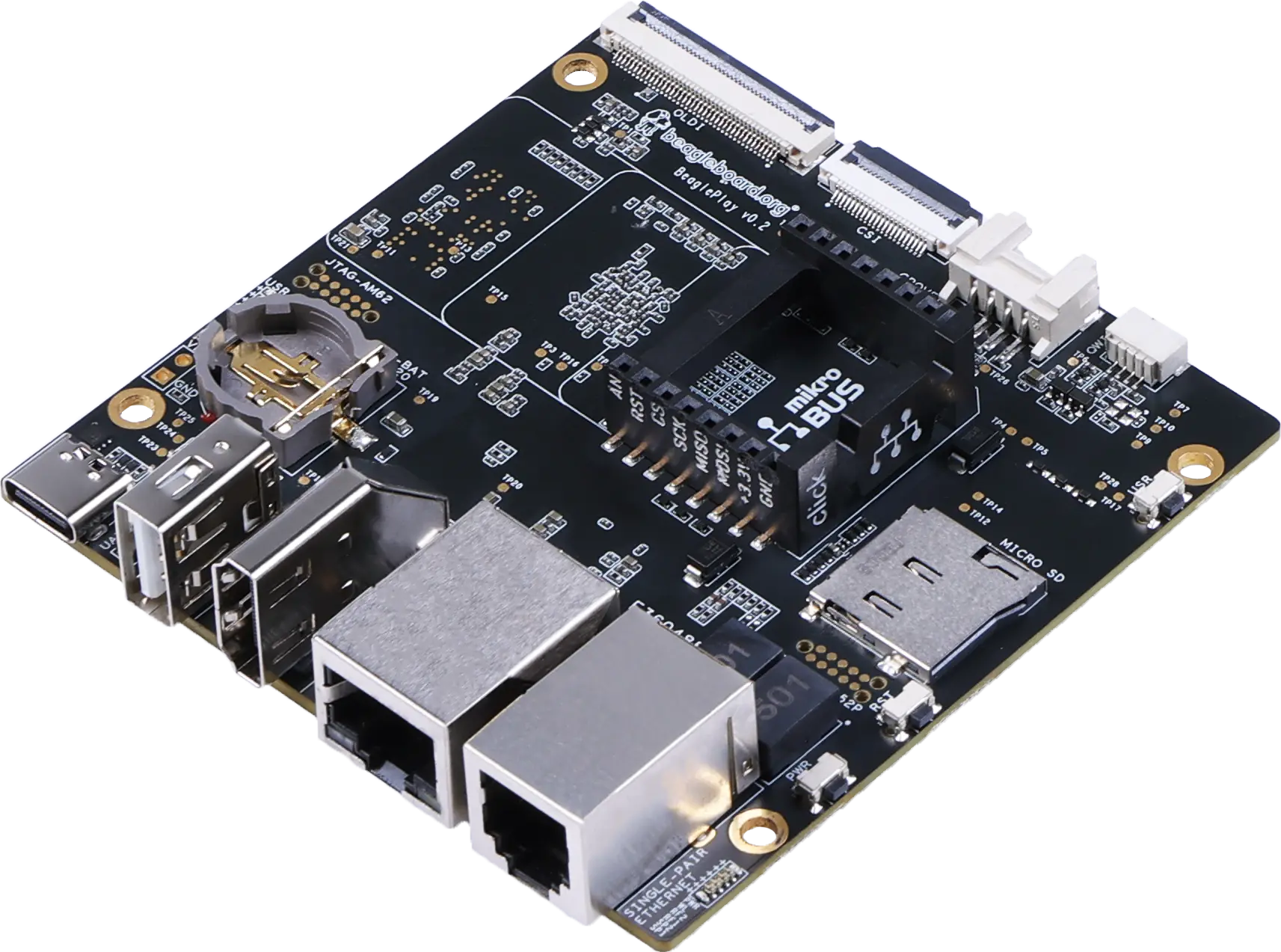
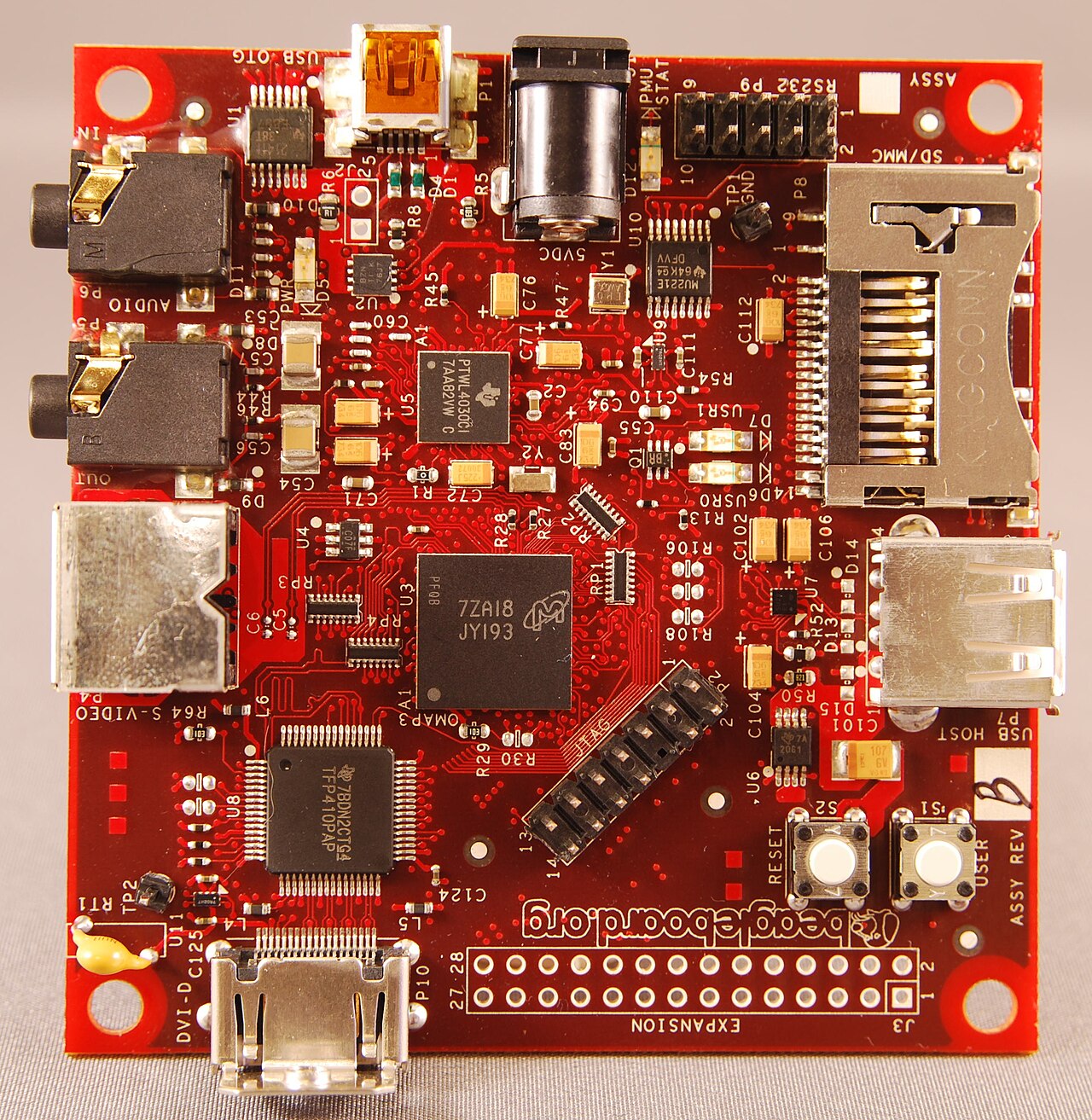
Pinout diagram

| Attr | Specs | verified |
|---|---|---|
soc | Texas Instruments Sitara AM6254 (AM625 family, industrial-grade 13×13 mm ALW package) (announcement, TI AM625 product page, docs introduction). | ✔ |
cpu | 4× Arm Cortex-A53 @ 1.4 GHz (64-bit), 512 KB shared L2, 32 KB L1 I-cache + 32 KB L1 D-cache per core (announcement; 1.4 GHz OPP confirmed in the mainline DTS opp-1400000000 node, k3-am625-beagleplay.dts). | ✔ |
real_time_cores | 1× Cortex-M4F up to 400 MHz, 1× Cortex-R5F (K3 management core), dual-core PRUSS (PRU-ICSS) @ 333 MHz (announcement). | ✔ |
gpu | Imagination PowerVR AXE-1-16M ("Rogue" branding in CNX), up to 2048×1080@60, OpenGL ES 3.1, Vulkan 1.2 (Wikipedia table, announcement). | ✔ |
ram | 2 GB DDR4 (1Gbx16, 1600 MHz / 3200 Mbps) (announcement; DTS memory node / 2G RAM /). | ✔ |
storage | 16 GB eMMC (HS200-capable, mmcblk0) + microSD slot (1.8/3.3 V signalling via vdd_sd_dv regulator) (docs introduction, DTS). | ✔ |
wired_networking_dual_ethernet | - 1× Gigabit Ethernet RJ45 — Realtek RTL8211F PHY, integrated magnetics, on CPSW3G port 1 (RGMII) (docs introduction, DTS). - 1× Single-Pair Ethernet RJ11 — TI DP83TD510E 10BASE-T1L PHY (IEEE 802.3cg), 10 Mbit/s only (not 10/100 — the brief's "10/100 mode" is imprecise), long-reach SPE with PoDL output 5 V @ 250 mA (board supplies power over the pair; its PoDL input is protection-only to 12 V) (docs introduction, announcement). - SoC-side: 3-port CPSW Gigabit switch with TSN support (1 internal + 2 external ports) (docs introduction). | ✔ |
wireless | dual-band Wi-Fi 4 (2.4 + 5 GHz) via TI WiLink8 WL1807MOD (SDIO, 2× U.FL); BLE + sub-GHz IEEE 802.15.4 via dedicated TI SimpleLink CC1352P7 wireless MCU (M4F+M0) running open BeagleConnect firmware (1× 2.4 GHz + 1× sub-GHz U.FL); 4× U.FL connectors total (announcement, docs introduction). BeagleConnect reaches "up to 1 km" to a BeagleConnect Freedom (product page). | ✔ |
usb | 1× USB-C (5 V power input + HS device/data role; no PD, no DRP/host on USB-C) + 1× USB 2.0 Type-A host (docs introduction). | ✔ |
display_camera | full-size HDMI Type-A up to 1080p via IT66121 DPI-to-HDMI transmitter (with I2S audio, simple-audio-card in DTS); 40-pin OLDI (dual-link LVDS) FPC (pin-compatible with 10.1″ 1920×1200 capacitive touch panels); 22-pin 4-lane MIPI CSI camera FPC, connector-compatible with BeagleBone AI-64 / Raspberry Pi Zero / CM4 cameras (docs introduction, docs expansion, DTS). | ✔ |
gpio_expansion | mikroBUS socket (SPI, I2C, UART, PWM/eCAP, analog input, 3.3 V/5 V, ClickID auto-detect), Grove (I2C-1 + UART5 + analog + GPIO), QWIIC/STEMMA QT (I2C-5 = mcu_i2c0); SoC GPIO banks are mixed 3.3 V and 1.8 V (separate schematic sheets "SoC GPIO 3.3V" and "SoC GPIO 1.8V & Bootstrap", hardware repo); AM62 also exposes CAN-FD, GPMC, OSPI, up to 6× MCU_SPI on the SoC (TI AM62x TRM) — not all routed to connectors. | ✔ |
misc | RTC BQ32002 with CR1220 coin-cell backup, 5 user LEDs + power LED + CC1352-RF + SPE link LEDs, USER button (also SD-card boot selector), Reset and Power buttons, 2× 10-pin TAG-CONNECT JTAG (AM62 and CC1352), 24C32 system EEPROM (docs introduction, DTS). | ✔ |
power | 5 V / 3 A via USB-C only (no barrel jack); PMIC TPS6521903 (TPS65219 family; the "03" sequencing variant is used for the DDR4 system) (docs design). | ✔ |
typical_consumption | "a board typically consuming 400 mA at 5 V (2 W)" — official hardware-design rationale text (docs design). | ✔ |
size_weight | 82.5 × 80 × 20 mm bare board, 55.3 g (docs support). | ✔ |
temperature | AM6254 is an industrial-grade SoC and the WL18x7MOD module is "industrial temperature grade" (docs design). | ✔ |
- Manufacturer / designer: BeagleBoard.org Foundation (501(c)(3), Rochester, Michigan); designed under the OpenBeagle open-hardware program, produced/sold as "BeagleBoard by Seeed Studio" at distributors (announcement, 2023-03-08, Digi-Key listing via CNX). OSHW-certified open hardware, cert US002174 (hardware repo README).
- Year / release: announced and made globally available 8 March 2023 (BeagleBoard.org announcement, CNX, 2023-03-09, Wikipedia BeagleBoard spec table, all retrieved 2026-10-13).
- Launch price: US$99 (CNX article title/body).
- Status: active; product page live at and , sold via Digi-Key, Mouser, Element14 (CNX).
- Variants: one production revision family — Rev A2 is the "initial production version" per the official board change history (docs 06-support); the mainline DTS commit message shows the identification EEPROM string BEAGLEPLAY-A0- (torvalds/linux commit d3fe4b4e2e44). Single SKU (2 GB / 16 GB).
- Positioning: connectivity-first "sensor/actuator gateway" SBC: official application list includes building/industrial automation gateways, HMI, digital signage and BeagleConnect sensor gateways (docs introduction) — i.e. an open, low-cost node/edge platform for long-range industrial sensor networks (LR-WPAN sub-GHz + 10BASE-T1L SPE), as stated in the kernel DTS commit itself ("create connected devices that work even at long distances using IEEE 802.15.4g LR-WPAN and IEEE 802.3cg 10Base-T1L", commit d3fe4b4e2e44).
+ Strengths
- Three complementary industrial network radios/ports on one $99 board: GbE RJ45, 10BASE-T1L single-pair Ethernet (km-range field wiring, PoDL 5 V/250 mA output to a remote node) and sub-1 GHz + 2.4 GHz IEEE 802.15.4 (LR-WPAN / BeagleConnect, "up to 1 km") (announcement, product page, DTS commit).
- Second, fully open wireless MCU: the CC1352P7 is not a black-box modem — it runs open-source Zephyr-based BeagleConnect firmware (WPANUSB 6LoWPAN bridge over HDLC/UART to Linux, bcfserial driver, wpan0/lowpan0 netdevs) and is user-reprogrammable (Zephyr, MicroPython) with the board's own resources (docs Zephyr tutorial).
- Sensor-ecosystem-first I/O: mikroBUS (ClickID auto-detect), Grove and QWIIC/STEMMA QT connectors give solderless access to thousands of off-the-shelf modules — the board's core design idea (docs design, product page).
- HMI-ready display path: dual OLDI LVDS up to WUXGA touch panels + IT66121 HDMI with audio + CSI camera connector, plus PMIC power-button and battery-backed RTC for appliance-like products (docs expansion, docs introduction).
- Real-time offload: dual-core PRU @333 MHz + Cortex-M4F + R5F alongside Linux, with TSN-capable CPSW switch — soft-realtime industrial I/O and protocol stacks (CAN-FD on-SoC) (docs introduction).
- Low-power demos: official suspend-to-RAM + CSI video-doorbell tutorial shows usable low-power workflows on AM62 (docs demos index).
- 100 % open design: Altium sources, Altium-exported schematics, BOM, mechanicals, block diagrams in the design repo (openbeagle.org/beagleplay/beagleplay, GitHub mirror); OSHW-certified US002174.
- Greybus host demo: BeaglePlay can act as a Greybus (Project Ara) host over UniPro (docs demo).
− Weaknesses
- Silicon erratum i2329 (AM62x MDIO): the mainline DTS carries an explicit workaround — the hardware MDIO controller is disabled and a GPIO bit-banged MDIO bus is used instead ("Workaround for errata i2329 - just use mdio bitbang", &cpsw3g_mdio { status = "disabled"; }) (v6.5 DTS).
- HDMI only via bridge, and only on newer kernels: there is no native HDMI/DSI; video goes through the IT66121 DPI bridge, whose DT support (plus MCASP I2S audio) is absent from the original v6.5 DTS and appears in later kernels (v6.5 vs master DTS diff). Expect no HDMI on ≤ 6.5 kernels.
- No camera ISP: AM62 has no ISP; raw-Bayer CSI sensors must be de-Bayered on the A53 cores — official docs recommend ISP-equipped modules (OV5640 supported out of the box) (docs expansion).
- USB-C limitations: no Power Delivery and no DRP — the port is power-in + device data only; boards/cables expecting PD negotiation or host mode on USB-C will not work (docs introduction).
- Tight mounting clearance: official quick-start warns the clearance between mounting hole and eMMC "is a little tight" — risk of crushing the eMMC during standoffs installation (docs quick start).
- SD/eMMC boot confusion is the #1 forum topic: recurring threads on SD images not booting / falling back to eMMC, wiping eMMC, and installing custom kernels (forum #37397, #35820, #36932, #36501).
- Does not fully power off on shutdown with the Debian 12.9 XFCE flasher image (power rail stays up) (forum #41398).
- Freeze after suspend-to-RAM reported (forum #37334); low-power work is demo-level, not a hardened feature.
- Thermal layout complaints: "hot chips are not placed correctly" thread (SoC/PMU run warm under load; no official heatsink spec) (forum #38119).
- Re-flashing the CC1352P7 has a trap: the bcfserial kernel driver claims the UART to the radio; you must boot with the k3-am625-beagleplay-bcfserial-no-firmware.dtbo overlay before running cc2538-bsl.py, then re-enable it (docs Zephyr tutorial); "Cannot write to on board CC1352P7" threads exist (forum #40305).
- SPE quirks: PoDL is output-only on the RJ11 (you cannot power BeaglePlay from an SPE PSE), and compatibility with non-powering SPE link partners needs care (docs introduction, forum #38459, #37747).
- BLE confusion: Bluetooth LE terminates on the CC1352P7, not the Wi-Fi module; users expecting classic BT or BT from wl1807 end up in forum threads (forum #40871).
- Retour d'expérience expert expert — expert-pi-like
- Un retour d'expérience complet sur la BeaglePlay. Le concept de gateway connectée avec 10BASE-T1L et LR-WPAN est unique à ce prix, mais la mise en œuvre cache des pièges. D'abord, ne comptez pas sur un HDMI fonctionnel avec un kernel ≤ 6.5, le support du bridge IT66121 a été ajouté plus tard. Ensui… — expert-pi-like
- Merci pour ce résumé précieux. Le point sur l'absence de compatibilité avec les capes BeagleBone m'a échappé au début, j'ai cru que les headers étaient juste ailleurs. C'est vrai que c'est du mikroBUS et du Grove uniquement. Concernant le reflash du CC1352P7, je confirme le souci : j'ai perdu un ap… — maker-grove
- @maker-grove pour la caméra, évite les capteurs raw-Bayer si tu as besoin de temps réel. La doc officielle recommande fortement de rester sur des modules avec ISP intégré comme l'OV5640, car le CPU va galérer. Pour l'histoire du boot SD/eMMC, c'est effectivement le sujet n°1 sur le forum. J'ai fail… — linux-hacker-01
Community feedback and projects
- BeaglePlay frozen after suspending to ram forum.beagleboard.org
- BeaglePlay disable Mikrobus to free GPIO pin forum.beagleboard.org
- Enhanced HDMI & Splash Support for BeaglePlay in U-Boot forum.beagleboard.org
- BeaglePlay: Ubuntu 22.04: Failed to start File System Check on Root Device. forum.beagleboard.org
- BeaglePlay - A $99 Texas Instruments AM625 industrial SBC with plenty of communication and expansion options www.cnx-software.com
- BeaglePlay_bom.csv other
- zephyr-beagle-cc1352-0.2.2.zip other
- Product page
- Product page
- Official docs (intro/quick-start/design/expansion/demos/support)
- Launch announcement (2023-03-08)
- CNX Software launch coverage (2023-03-09, $99)
- BeaglePlay_bom.csv
- BeaglePlay_sch.pdf
- Hardware design (schematics PDF, BOM CSV, Altium/OrCAD sources, mechanicals)
- Hardware design (schematics PDF, BOM CSV, Altium/OrCAD sources, mechanicals)
- OSHW certification
- SoC datasheet/TRM
- Radio MCUs
- Radio MCUs
- SPE PHY
- v6.5
- d3fe4b4e2e44
- Mainline Linux support
- Images
- Images
- Images
- Software repos
- Software repos
- Software repos
- Community
- Community
- BeagleConnect Freedom (companion sensor node)
- Silicon erratum i2329 (AM62x MDIO): the mainline DTS carries an explicit workaround — the hardware MDIO controller is disabled and a GPIO bit-banged MDIO bus is used instead ("Workaround for errata i2329 - just use mdio bitbang", &cpsw3g_mdio { status = "disabled"; }) (v6.5 DTS).
- HDMI only via bridge, and only on newer kernels: there is no native HDMI/DSI; video goes through the IT66121 DPI bridge, whose DT support (plus MCASP I2S audio) is absent from the original v6.5 DTS and appears in later kernels (v6.5 vs master DTS diff). Expect no HDMI on ≤ 6.5 kernels.
- No camera ISP: AM62 has no ISP; raw-Bayer CSI sensors must be de-Bayered on the A53 cores — official docs recommend ISP-equipped modules (OV5640 supported out of the box) (docs expansion).
- USB-C limitations: no Power Delivery and no DRP — the port is power-in + device data only; boards/cables expecting PD negotiation or host mode on USB-C will not work (docs introduction).
- Tight mounting clearance: official quick-start warns the clearance between mounting hole and eMMC "is a little tight" — risk of crushing the eMMC during standoffs installation (docs quick start).
- SD/eMMC boot confusion is the #1 forum topic: recurring threads on SD images not booting / falling back to eMMC, wiping eMMC, and installing custom kernels (forum #37397, #35820, #36932, #36501).
- Does not fully power off on shutdown with the Debian 12.9 XFCE flasher image (power rail stays up) (forum #41398).
- Freeze after suspend-to-RAM reported (forum #37334); low-power work is demo-level, not a hardened feature.
- Thermal layout complaints: "hot chips are not placed correctly" thread (SoC/PMU run warm under load; no official heatsink spec) (forum #38119).
- Re-flashing the CC1352P7 has a trap: the bcfserial kernel driver claims the UART to the radio; you must boot with the k3-am625-beagleplay-bcfserial-no-firmware.dtbo overlay before running cc2538-bsl.py, then re-enable it (docs Zephyr tutorial); "Cannot write to on board CC1352P7" threads exist (forum #40305).
- SPE quirks: PoDL is output-only on the RJ11 (you cannot power BeaglePlay from an SPE PSE), and compatibility with non-powering SPE link partners needs care (docs introduction, forum #38459, #37747).
- BLE confusion: Bluetooth LE terminates on the CC1352P7, not the Wi-Fi module; users expecting classic BT or BT from wl1807 end up in forum threads (forum #40871).
- Flasher l'image Debian sur la microSD puis l'eMMC 16 Go debutant Schéma : IMG-beagleplay-debutant-1-flasher-image-debian-usb-c.svg — Un PC grave une image Debian sur microSD, la copie est transférée vers la puce eMMC 16 Go du BeaglePlay, câble USB-C reliant la carte au PC
- LED et bouton USER : triggers kernel et gpio-keys debutant Schéma : IMG-beagleplay-debutant-2-led-et-bouton-user.svg — Les 5 LED gpio-leds du BeaglePlay reliées au système de triggers du noyau et le bouton USER connecté à la ligne GPIO0_18 via gpio-keys
- OLED Qwiic sur le bus I2C 5 (mcu_i2c0) debutant Schéma : IMG-beagleplay-debutant-3-oled-qwiic-i2c5.svg — Un écran OLED I2C adresse 0x3C relié par câble Qwiic au connecteur du bus I2C 5 (mcu_i2c0) du BeaglePlay, avec le lien /dev/play/qwiic
- Capteurs Grove sur le bus I2C 1 et inventaire du bus intermediaire Schéma : IMG-beagleplay-intermediaire-1-grove-i2cdetect-i2c1.svg — Un capteur Grove I2C branché sur le connecteur Grove du bus I2C 1 du BeaglePlay, avec la grille i2cdetect affichant les adresses détectées
- Double Ethernet : GbE RTL8211F et 10BASE-T1L sur RJ11 intermediaire Schéma : IMG-beagleplay-intermediaire-2-double-ethernet-gbe-spe.svg — Les deux ports Ethernet du BeaglePlay : le port RJ45 gigabit (PHY RTL8211F) et le port RJ11 10BASE-T1L (PHY DP83TD510E, 10 Mbit/s) avec l'alimentation PoDL en sortie seule 5V 250mA
- Caméra CSI OV5640 via fdtoverlays dans extlinux.conf intermediaire Schéma : IMG-beagleplay-intermediaire-3-camera-csi-ov5640.svg — Un module caméra OV5640 relié par nappe au connecteur CSI 22 broches du BeaglePlay, le chemin du fichier extlinux.conf et sa ligne fdtoverlays annotés
- Reflasher le CC1352P7 en BSL depuis le processeur hôte avance Schéma : IMG-beagleplay-avance-1-reflash-cc1352p7-bsl.svg — Le coprocesseur sans fil CC1352P7 du BeaglePlay, son bootloader série BSL, et les scripts cc2538-bsl.py et wpanusb du dépôt build/play reliés par des flèches
- Passerelle 6LoWPAN : wpan0, lowpan0 et BLE du CC1352P7 avance Schéma : IMG-beagleplay-avance-2-passerelle-6lowpan.svg — Le BeaglePlay en routeur 6LoWPAN : interface wpan0 (mtu 123) encapsulée dans lowpan0, reliée aux modules kernel bcfserial, wpanusb et mac802154, avec le BLE du CC1352P7 en périphérie
- Développement noyau : extlinux sur FAT32 et contournement de l'erratum i2329 avance Schéma : IMG-beagleplay-avance-3-dev-noyau-extlinux-i2329.svg — La partition boot FAT32 mmcblk0p1 contenant extlinux.conf et un noyau Image non compressé, avec à côté le contrôleur MDIO remplacé par un bit-bang GPIO à cause de l'erratum i2329
Code library — examples written for this board
clignotante.pyPythonbouton-gpio.pyPythoncapteur-i2c.shBashsurveillance-temperature.shBashcapteur-dht11.pyPythonservo-pwm-sysfs.shBashserveur-web-capteur.pyPythonwifi-station.shBashjournal-cron.shBashveilleur-systemd.pyPython
Examples and repos found online
- zephyrproject-rtos/zephyr github.com
- beagleboard/u-boot-beagleplay github.com
- jadonk/beagleplay-balena-configfs-dtbo github.com