STM32 Nucleo-64 F4 family — flagship: Nucleo-F401RE
⚡ The essentials in 60 seconds
- cpu — ARM Cortex-M4F (single core), 84 MHz max, with single-precision FPU and DSP instructions — the F4 series is ST's "high-performance" Cortex-M4F line (Wikipedia; Zephyr board doc).
- gpu — none (Cortex-M MCU).
- memory — 512 KB flash, 96 KB SRAM, 0.5 KB OTP (Wikipedia table; Zephyr YAML ram: 96, flash: 512).
- package — LQFP64 (STM32F401RET6) (Zephyr board doc).
- supply_voltage — VDD 1.7 V to 3.6 V (Zephyr board doc).
- peripherals_on_chip_per_zephyr_board_doc — 12-bit ADC with 16 channels, RTC, 1 advanced-control timer + 7 general-purpose timers, 2 watchdog timers, 3× USART/UART, 3× I2C, 4× SPI, SDIO, USB 2.0 OTG FS, DMA controller, I2S.
- On this board : 9 tutorials · 10 code
The STM32 Nucleo-64 F4 family represents a pivotal moment in the democratization of high-performance embedded development, bridging the gap between simple hobbyist microcontrollers and complex industrial systems. While the board identifier stm32f4-nucleo technically encompasses several variants including the F410RB, F411RE, and F446RE, the Nucleo-F401RE stands as the definitive flagship of this line. Announced by STMicroelectronics in early 2014, this board was designed to bring the power of the ARM Cortex-M4F architecture to the familiar Arduino Uno form factor. It serves not just as a piece of hardware, but as a reference platform that has shaped countless tutorials, libraries, and community projects. The F401RE is the oldest of the four Nucleo-64 F4 boards supported by the Arduino core, having been included since version 0.2.1, which makes it the most documented and widely understood target for beginners and experts alike. It is important to note that this card specifically addresses the Nucleo-64 form factor; the larger Nucleo-144 boards, such as the F429ZI, are physically distinct and are excluded from this description to avoid confusion regarding pinouts and capabilities.
At the heart of the Nucleo-F401RE lies the STM32F401RET6 microcontroller, a single-core ARM Cortex-M4F processor running at a maximum frequency of 84 MHz. For those new to embedded systems, the "F" in Cortex-M4F signifies the presence of a Floating Point Unit. Unlike simpler microcontrollers that can only handle integer math, the F401RE can perform calculations with decimal numbers natively and efficiently. This capability, combined with Digital Signal Processing (DSP) instructions, allows the board to handle tasks like audio processing, sensor fusion, or motor control algorithms that would be too slow or complex for basic 8-bit or non-FPU 32-bit chips. The chip is packaged in a 64-pin LQFP format and operates within a supply voltage range of 1.7 V to 3.6 V. It features 512 KB of Flash memory for storing your program code and 96 KB of SRAM for temporary data storage. While this might seem modest compared to modern smartphones, it is substantial for real-time control applications where speed and determinism are more critical than massive storage capacity.
One of the most significant advantages of the Nucleo-F401RE is its integrated debugging and programming interface, the ST-LINK/V2-1. This onboard circuit acts as a bridge between your computer and the microcontroller, offering three distinct functions over a single USB connection. First, it provides SWD debugging, allowing developers to pause execution, inspect variables, and step through code line-by-line directly on the chip. Second, it creates a virtual COM port, which serves as a serial terminal for printing debug messages from your code to your computer screen. Third, it functions as a USB mass storage device, enabling a drag-and-drop style of programming where you simply copy a compiled binary file onto the board’s drive to flash it. This triad of features removes the need for expensive external debuggers, making professional-grade development tools accessible to everyone. However, users should be aware that the board’s USB connector connects to the ST-LINK chip, not directly to the microcontroller’s USB peripheral. This means that the default Serial object in Arduino sketches communicates via USART2 through the ST-LINK virtual COM port, not via native USB. If you need to use the microcontroller’s native USB OTG (On-The-Go) full-speed peripheral for creating custom USB devices, you must wire it to the morpho headers, as the onboard USB socket is reserved for the debugger.
The physical layout of the Nucleo-F401RE is designed to maximize flexibility. It features the standard Arduino Uno V3 shield connector, allowing it to be compatible with the vast ecosystem of Arduino shields. However, the Arduino headers do not expose every pin on the microcontroller. To address this, STMicroelectronics added "ST morpho" headers, which are two rows of 2.54 mm pins that provide access to all the microcontroller’s I/O pins. This dual-world approach means you can use existing Arduino hardware while still having access to advanced peripherals like the 12-bit ADC with 16 channels, multiple I2C and SPI buses, and SDIO for SD card streaming. The board also includes three LEDs: LD1 for USB/COM status, LD3 for power, and LD2, which is the user-controllable LED connected to pin PA5. This pin mapping is crucial for beginners, as LED_BUILTIN in the Arduino environment maps to PA5. Powering the board is equally flexible; it can be powered via USB or an external source ranging from 3.3 V to 12 V, selected via jumpers. While ST refers to these as "PPS" jumpers in their manuals, the exact terminology and behavior should be verified against the specific board revision, as documentation access can sometimes be restricted.
Software support for the Nucleo-F401RE is extensive, though it requires navigating some recent changes in the ecosystem. The board is fully supported by STM32CubeF4, ST’s official firmware package that includes HAL (Hardware Abstraction Layer) drivers and middleware. It is also a first-class citizen in the Zephyr RTOS, with an in-tree board definition that allows for portable, device-tree-driven development. For Arduino users, the STM32duino core supports the board, but it is critical to note that since core version 2.8.0, only Arduino IDE 2.x is supported. Older tutorials using Arduino IDE 1.x will no longer work with the latest board manager definitions. Furthermore, the board’s history with the mbed platform is noteworthy. Launched with mbed support in 2014, the Nucleo was one of the first Arduino-form-factor boards usable in that ecosystem. However, mbed’s online services were sunset in July 2026, and upstream maintenance has ceased. Users relying on mbed workflows must migrate to the community-maintained Mbed CE fork, or switch to Zephyr or STM32CubeIDE. This transition highlights the importance of choosing long-term supported frameworks for new projects.
Despite its robustness, the Nucleo-F401RE has some limitations and pitfalls. The F401 series lacks a digital-to-analog converter (DAC), which is present on other F4 variants like the F405 or F407. This means you cannot output analog voltages directly without using PWM filtering, a limitation that affects audio or analog control applications. Additionally, the ST-LINK firmware has occasionally been subject to regressions, and silicon errata for the F401 are frequently discussed in community forums, though specific details require consulting official errata sheets which may not be easily accessible via automated tools. The board’s power consumption and temperature ranges are also not fully detailed in this description due to the unavailability of the machine-readable datasheet during research, so designers should consult the official DS8727 datasheet for thermal and power budget calculations. Nevertheless, the Nucleo-F401RE remains a cornerstone of embedded education and prototyping. Its combination of a powerful Cortex-M4F core, comprehensive peripheral set, and seamless integration with popular development environments makes it an ideal starting point for anyone looking to move beyond basic microcontrollers into the realm of high-performance, real-time embedded systems. Whether you are blinking an LED, reading analog sensors, or implementing complex communication protocols, the F401RE provides the tools and the community support to succeed.
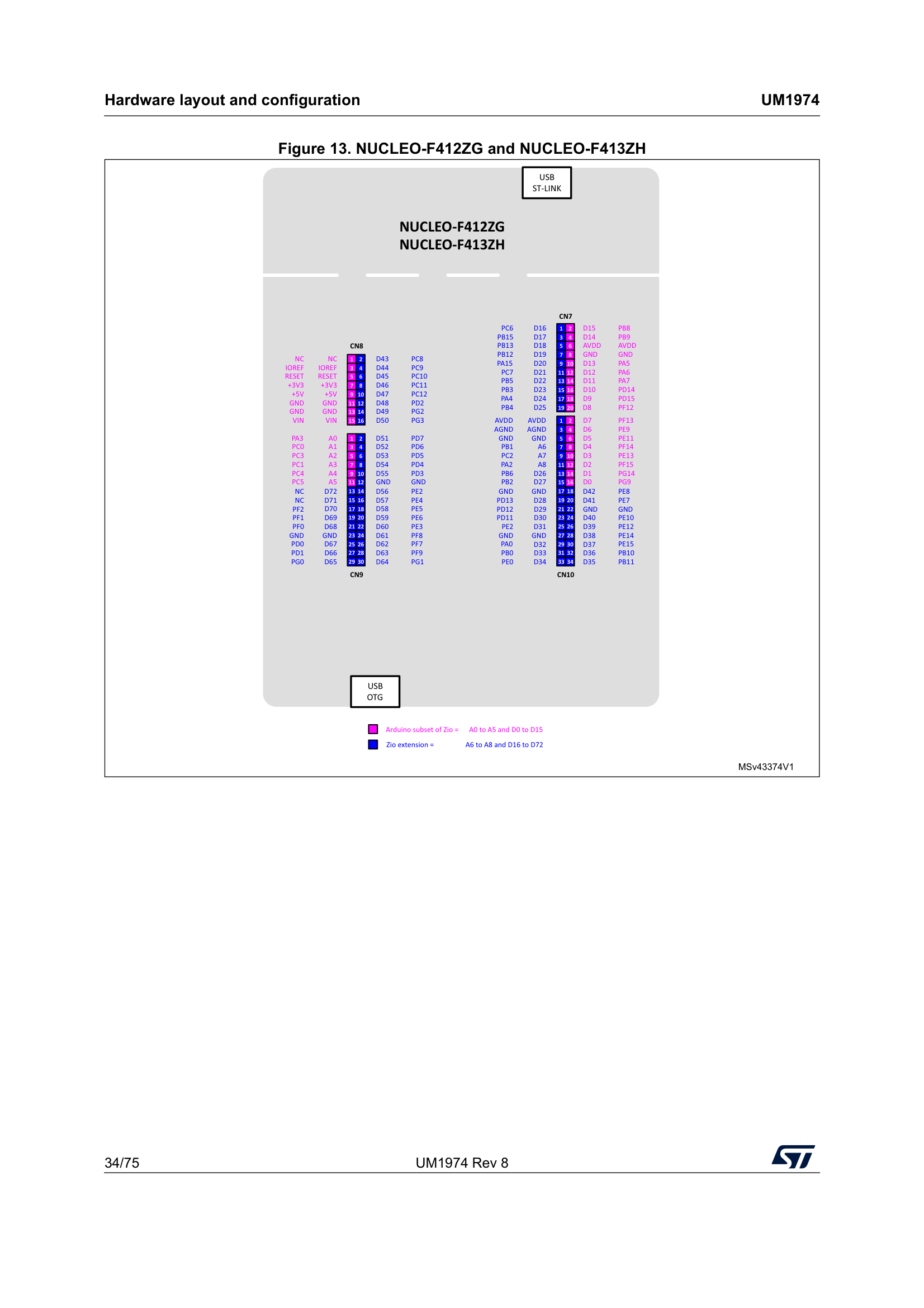
Pinout diagram
| Attr | Specs | verified |
|---|---|---|
cpu | ARM Cortex-M4F (single core), 84 MHz max, with single-precision FPU and DSP instructions — the F4 series is ST's "high-performance" Cortex-M4F line (Wikipedia; Zephyr board doc). | ✔ |
gpu | none (Cortex-M MCU). | ? unverified |
memory | 512 KB flash, 96 KB SRAM, 0.5 KB OTP (Wikipedia table; Zephyr YAML ram: 96, flash: 512). | ? unverified |
package | LQFP64 (STM32F401RET6) (Zephyr board doc). | ? unverified |
supply_voltage | VDD 1.7 V to 3.6 V (Zephyr board doc). | ? unverified |
peripherals_on_chip_per_zephyr_board_doc | 12-bit ADC with 16 channels, RTC, 1 advanced-control timer + 7 general-purpose timers, 2 watchdog timers, 3× USART/UART, 3× I2C, 4× SPI, SDIO, USB 2.0 OTG FS, DMA controller, I2S. | ? unverified |
dac | ? unverified | |
power_consumption_temperature_range | ? unverified | |
board_nucleo_f401re_mb1136 | - Expansion: Arduino Uno V3 shield connector plus ST morpho pin headers giving access to all MCU I/O (6×1, 2.54 mm) (Zephyr board doc; Wikipedia table). - Debug/program: on-board ST-LINK/V2-1 debugger/programmer with SWD connector; the ST-LINK host adapter provides SWD debugging, virtual COM port, and mass storage over USB (Wikipedia — STM32, Nucleo section). - USB: board USB connector is micro-B, full-speed (Wikipedia table "mini-B FS"; Zephyr lists USB VBUS supply). The MCU's USB OTG FS pins are broken out on the morpho headers, not wired to the board connector (the board connector goes to the ST-LINK side). - User I/O: 3 LEDs — LD1 (USB/COM), LD2 (user), LD3 (power); USER + RESET buttons (Zephyr board doc). User LED (LD2) = PA5 (STM32duino variant header, below). - Powering: flexible supply — USB VBUS or external source at 3.3 V, 5 V, or 7–12 V, with power-management access points (Zephyr board doc); board power chosen by jumpers. - Arduino shield 5 V: power can be taken from USB cable 5 V or external 5 V (Wikipedia Nucleo section). | ✔ |
- Manufacturer: STMicroelectronics (board family: STM32 Nucleo, "discovery-meets-mbed" line).
- Year: the STM32F401 series chips were announced April 2013; ST announced the first Nucleo boards (Arduino headers + mbed IDE support) in February 2014 (Wikipedia — STM32 history table, retrieved 2026-10-13).
- Status: active in software terms — the F401RE is still a supported, CI-tested target of the Arduino STM32 core (Boards Manager, 2026), Zephyr main (board YAML), and STM32CubeF4 (GitHub).
- Launch price: >
- Variants (Nucleo-64 F4 line): | Board | MCU | Clock | Flash | SRAM | |---|---|---|---|---| | Nucleo-F401RE (flagship) | STM32F401RET6 | 84 MHz | 512 KB (+0.5 KB OTP) | 96 KB | | Nucleo-F410RB | STM32F410RBT6 | 100 MHz | 128 KB (+0.5 KB OTP) | 32 KB | | Nucleo-F411RE | STM32F411RET6 | 100 MHz | 512 KB (+0.5 KB OTP) | 128 KB | | Nucleo-F446RE | STM32F446RET6 | 180 MHz | 512 KB | 132 KB | Source: Nucleo comparison table, Wikipedia — STM32 (retrieved 2026-10-13); cross-checked for the F401RE against Zephyr board docs and YAML (96 KiB RAM / 512 KiB flash).
+ Strengths
- FPU + DSP at 84 MHz in a $-conscious 64-pin board — the F401RE brought Cortex-M4F floating point and DSP instructions to the cheap end of the F4 line (Wikipedia: F4 = high-performance Cortex-M4F series; F401 announced Apr 2013).
- Three-personality debugger on board: the ST-LINK/V2-1 enumerates as SWD debugger + virtual COM port + USB mass-storage device (drag-and-drop style programming on the MSD function) — Wikipedia Nucleo section; UM1760 is the authoritative board manual.
- Dual expansion worlds on one PCB: Arduino Uno V3 shield footprint and ST morpho headers for every GPIO (Zephyr board doc) — shields work, but the morpho exposes the full pinout the Arduino header hides.
- USB OTG FS + SDIO on-chip — device/host USB and SD-card streaming without bit-banging (Zephyr board doc).
- Ecosystem reference board: first-class citizen in Arduino STM32 (since 0.2.1), Zephyr (Arduino-compat GPIO/I2C/SPI bindings: arduino_gpio, arduino_i2c, arduino_spi in the board YAML), CubeF4 BSP, and historically mbed.
- mbed compatibility was a launch feature (Feb 2014 announcement, Wikipedia) — one of the first Arduino-form-factor boards usable from mbed.
− Weaknesses
- mbed platform sunset (2026): the online mbed toolchain that many Nucleo-F4 tutorials rely on is dead since July 2026; Mbed OS is unmaintained upstream — migrate to Mbed CE, Zephyr, or CubeIDE (source, retrieved 2026-10-13).
- Arduino IDE 1.x dropped: STM32duino core ≥ 2.8.0 supports only Arduino IDE 2 (core README warning) — old tutorials' board-manager screenshots no longer match.
- Serial is not native USB: on the F401RE variant, the default Serial is USART2 wired to the ST-LINK virtual COM port (SERIAL_UART_INSTANCE = 2, RX = PA3, TX = PA2) (variant headerT/variant_NUCLEO_F401RE.h)). Sketches expecting USB-CDC on the board connector are surprised — the board's USB socket talks to the ST-LINK, not to the MCU's OTG peripheral.
- CubeF4 GitHub gotchas: the repo is a submodule aggregate — git clone --recursive is mandatory, and licensed middleware (STM32_Audio, STemWin, TouchGFX) plus some demos are not on GitHub (click-through license; full package only from st.com with an account) (repo README).
- st.com scripted access: product/datasheet pages 404 or drop connections for non-browser fetchers (observed 2026-10-13) — plan for manual downloads of datasheets, UM1760 and RM0368.
- >
- Retour d'expérience expert expert — expert-microcontroleur
- Le point critique actuellement sur la Nucleo F401RE, c'est la fin de vie de la plateforme mbed. Si vous suivez de vieux tutos en ligne, vous allez vous heurter a un mur car l'outillage en ligne est mort depuis juillet 2026 et Mbed OS n'est plus maintenu en amont. Il faut absolument migrer vers Mbed… — expert-microcontroleur
- Merci pour l'alerte sur mbed, je pensais pouvoir suivre un tuto de 2024 tranquillement. Du coup, si je veux eviter la migration vers Mbed CE qui a l'air compliquee, est-ce que je peux rester sur le core Arduino STM32 ? Je vois que la fiche mentionne un support CI actif en 2026, mais je me demande s… — maker_debutant
- Pour Arduino, c'est très stable actuellement, le F401RE est bien supporte dans le Boards Manager. Pas besoin de toucher a mbed si tu restes sur cet IDE. Le ST-LINK/V2-1 est generalement reconnu nativement, mais assure-toi d'avoir les derniers pilotes ST si le port COM apparait mal. L'avantage des c… — bidouilleur_hardware
Community feedback and projects
- Starting with Nucleo-F411RE and mbed OS for command line enthusiasts blog.3mdeb.com
- UART Transmit every 1us Interrupt STM32 Nucleo F401RE electronics.stackexchange.com
- Nucleo-F401RE: No device found on target community.st.com
- Connecting HC-05/HC-06 Bluetooth to X-NUCLEO-53L7A1 with Nucleo-F401RE community.st.com
Content not available yet.
- mbed platform sunset (2026): the online mbed toolchain that many Nucleo-F4 tutorials rely on is dead since July 2026; Mbed OS is unmaintained upstream — migrate to Mbed CE, Zephyr, or CubeIDE (source, retrieved 2026-10-13).
- Arduino IDE 1.x dropped: STM32duino core ≥ 2.8.0 supports only Arduino IDE 2 (core README warning) — old tutorials' board-manager screenshots no longer match.
- Serial is not native USB: on the F401RE variant, the default Serial is USART2 wired to the ST-LINK virtual COM port (SERIAL_UART_INSTANCE = 2, RX = PA3, TX = PA2) (variant headerT/variant_NUCLEO_F401RE.h)). Sketches expecting USB-CDC on the board connector are surprised — the board's USB socket talks to the ST-LINK, not to the MCU's OTG peripheral.
- CubeF4 GitHub gotchas: the repo is a submodule aggregate — git clone --recursive is mandatory, and licensed middleware (STM32_Audio, STemWin, TouchGFX) plus some demos are not on GitHub (click-through license; full package only from st.com with an account) (repo README).
- st.com scripted access: product/datasheet pages 404 or drop connections for non-browser fetchers (observed 2026-10-13) — plan for manual downloads of datasheets, UM1760 and RM0368.
- >
- Prise en main de la Nucleo-F401RE : ST-LINK, LED LD2 et alimentation debutant Schéma : IMG-stm32f4-nucleo-debutant-1-stm32f4nuc-prise-en-main-f401re.svg — Nucleo-F401RE vue de dessus : connecteur micro-USB relié au ST-LINK, LED LD2 (PA5) mise en évidence, bouton USER, en-têtes Arduino et morpho
- Premier Blink Arduino sur la Nucleo-F401RE avec le core STM32duino debutant Schéma : IMG-stm32f4-nucleo-debutant-2-stm32f4nuc-blink-arduino-stm32duino.svg — Nucleo-F401RE branchée en micro-USB à un PC affichant l'Arduino IDE 2 avec la carte Nucleo F401RE sélectionnée, LED LD2 clignotante
- Console série sur le ST-LINK VCP : printf, ADC 12 bits et piège du USB debutant Schéma : IMG-stm32f4-nucleo-debutant-3-stm32f4nuc-console-serie-stlink-vcp.svg — Nucleo-F401RE avec un potentiomètre sur A0, flèches vers une fenêtre de moniteur série affichant des lignes ADC en millivolts
- STM32CubeF4 et HAL : blink + UART printf générés pour la Nucleo-F401RE intermediaire Schéma : IMG-stm32f4-nucleo-intermediaire-4-stm32f4nuc-cubemx-hal-blink-uart.svg — flux de travail STM32CubeF4 : CubeMX configurant USART2 et la broche PA5, génération du code HAL, compilation puis flash via ST-LINK
- ADC 12 bits et PWM sur la Nucleo-F401RE : oversampling, millivolts et LED en fondu intermediaire Schéma : IMG-stm32f4-nucleo-intermediaire-5-stm32f4nuc-adc-12bits-pwm-fade.svg — potentiomètre relié à A0, bloc ADC 12 bits (0-4095) convertissant en bloc PWM pilotant une LED sur D5 via une résistance
- Zephyr RTOS sur la Nucleo-F401RE : west build, devicetree et west flash intermediaire Schéma : IMG-stm32f4-nucleo-intermediaire-6-stm32f4nuc-zephyr-blinky-ouest.svg — fenêtre de terminal exécutant west build -b nucleo_f401re puis west flash vers la Nucleo, console série ttyACM0 affichant Hello World
- Bare-metal sur le STM32F401 : clignoter LD2 en écrivant les registres GPIO avance Schéma : IMG-stm32f4-nucleo-avance-7-stm32f4nuc-baremetal-registres-gpio.svg — carte mémoire du STM32F401 avec GPIOA en 0x40020000, registres MODER et ODR zoomés, RCC_AHB1ENR en 0x40023830, flèches vers la broche PA5 et sa LED LD2
- USB OTG FS et SDIO réels : les périphériques cachés derrière les en-têtes morpho avance Schéma : IMG-stm32f4-nucleo-avance-8-stm32f4nuc-usb-otg-sdio-morpho.svg — le connecteur micro-USB de la carte mène au ST-LINK tandis que l'OTG FS du MCU et le SDIO sortent sur les en-têtes morpho vers un connecteur USB et une carte SD
- Migrer un projet mbed Nucleo-F4 en 2026 : Mbed CE, Zephyr ou CubeIDE avance Schéma : IMG-stm32f4-nucleo-avance-9-stm32f4nuc-migration-projets-mbed-2026.svg — un projet mbed marqué plateforme fermée en juillet 2026 se divise en trois chemins maintenus : Mbed CE, Zephyr RTOS et STM32CubeIDE
Code library — examples written for this board
clignotante.cCbouton-hal.cCusart-printf.cCadc-temperature.cCpwm-timer-led.cCservo-pwm.cCi2c-oled.cCwatchdog-iwdg.cCrtc-reveil.cCusart-reception.cC
Examples and repos found online
- STMicroelectronics/STM32CubeF4 github.com
- stm32duino/Arduino_Core_STM32 github.com
- zephyrproject-rtos/zephyr github.com